IPMI, MEGARAC, iDRac, BMC
Alles was mit integrierter Remoteverbindung zu tun hat
iKVM Clients
Alte jnlp Viewer (javaWebstart Dateien mit Aktueller Java zum laufen bringen)
Beschreibung:
Seid Java 11 funktionieren jnlp Dateien nicht mehr.
Es gib aber eine möglichkeit diese doch noch zu nutzen.
Mit dem Tool https://openwebstart.com/
Vorrausetzung:
apt install gnutls-binInstallation
Einfach die deb Datei downloaden installieren.
Ausführen.
javaws jviewer.jnlp

eure datei kann auch anders heißen
Sollte dieser feherl auftauchen
orge.jnlp.LaunchException: Fatal: Initialization Error: Unknown Main-Class. Could not determine the main class for this application.Log aus dem Error Fenster
net.sourceforge.jnlp.LaunchException: Fatal: Initialization Error: Could not initialize application. The application has not been initialized, for more information execute javaws from the command line.
at net.sourceforge.jnlp.Launcher.createApplication(Launcher.java:593)
at net.sourceforge.jnlp.Launcher.launchApplication(Launcher.java:374)
at net.sourceforge.jnlp.Launcher.access$300(Launcher.java:72)
at net.sourceforge.jnlp.Launcher$TgThread.run(Launcher.java:661)
Caused by: net.sourceforge.jnlp.LaunchException: Fatal: Initialization Error: Unknown Main-Class. Could not determine the main class for this application.
at net.sourceforge.jnlp.runtime.classloader.JNLPClassLoader.initializeResources(JNLPClassLoader.java:753)
at net.sourceforge.jnlp.runtime.classloader.JNLPClassLoader.<init>(JNLPClassLoader.java:352)
at net.sourceforge.jnlp.runtime.classloader.JNLPClassLoader.createInstance(JNLPClassLoader.java:425)
at net.sourceforge.jnlp.runtime.classloader.JNLPClassLoader.getInstance(JNLPClassLoader.java:497)
at net.sourceforge.jnlp.runtime.classloader.JNLPClassLoader.getInstance(JNLPClassLoader.java:470)
at net.sourceforge.jnlp.Launcher.createApplication(Launcher.java:585)
... 3 more
Log aus der Konsole der die eigentlichen Fehler anzeigt
Ganze Log aus Log Fenster
No local file found for https://192.168.178.195/Java/release/Linux_x86_64.jar
Error flag set for resource 'https://192.168.178.195/Java/release/Linux_x86_64.jar'. Can not return a local file for the resource
Activate native: https://192.168.178.195/Java/release/Linux_x86_64.jar
Activate jar: https://192.168.178.195/Java/release/Linux_x86_64.jar
CachedJarFileCallback.addMapping : https://192.168.178.195/Java/release/Linux_x86_64.jar -> https://192.168.178.195/Java/release/Linux_x86_64.jar
Error flag set for resource 'https://192.168.178.195/Java/release/Linux_x86_64.jar'. Can not return a local file for the resource
DownloadServiceListener will be disposed
Download done. Shutting down executor
DownloadServiceListener for JViewer will be created
Jars not ready to provide attribute Application-Name
checkForMain JAR https://192.168.178.195/Java/release/Linux_x86_64.jar not found. Continuing.
Error flag set for resource 'https://192.168.178.195/Java/release/Linux_x86_64.jar'. Can not return a local file for the resource
Error flag set for resource 'https://192.168.178.195/Java/release/Linux_x86_64.jar'. Can not return a local file for the resource
Error flag set for resource 'https://192.168.178.195/Java/release/Linux_x86_64.jar'. Can not return a local file for the resource
Error flag set for resource 'https://192.168.178.195/Java/release/Linux_x86_64.jar'. Can not return a local file for the resource
No local file found for https://192.168.178.195/Java/release/JViewer-SOC.jar
Error flag set for resource 'https://192.168.178.195/Java/release/JViewer-SOC.jar'. Can not return a local file for the resource
Activate native: https://192.168.178.195/Java/release/JViewer-SOC.jar
Activate jar: https://192.168.178.195/Java/release/JViewer-SOC.jar
CachedJarFileCallback.addMapping : https://192.168.178.195/Java/release/JViewer-SOC.jar -> https://192.168.178.195/Java/release/JViewer-SOC.jar
Error flag set for resource 'https://192.168.178.195/Java/release/JViewer-SOC.jar'. Can not return a local file for the resource
DownloadServiceListener will be disposed
Download done. Shutting down executor
System logger called with result of 0
DownloadServiceListener for JViewer will be created
Jars not ready to provide attribute Application-Name
checkForMain JAR https://192.168.178.195/Java/release/JViewer-SOC.jar not found. Continuing.
Error flag set for resource 'https://192.168.178.195/Java/release/JViewer-SOC.jar'. Can not return a local file for the resource
Error flag set for resource 'https://192.168.178.195/Java/release/JViewer-SOC.jar'. Can not return a local file for the resource
Error flag set for resource 'https://192.168.178.195/Java/release/JViewer-SOC.jar'. Can not return a local file for the resource
Error flag set for resource 'https://192.168.178.195/Java/release/JViewer-SOC.jar'. Can not return a local file for the resource
No local file found for https://192.168.178.195/Java/release/JViewer.jar
Error flag set for resource 'https://192.168.178.195/Java/release/JViewer.jar'. Can not return a local file for the resource
Activate native: https://192.168.178.195/Java/release/JViewer.jar
Activate jar: https://192.168.178.195/Java/release/JViewer.jar
CachedJarFileCallback.addMapping : https://192.168.178.195/Java/release/JViewer.jar -> https://192.168.178.195/Java/release/JViewer.jar
Error flag set for resource 'https://192.168.178.195/Java/release/JViewer.jar'. Can not return a local file for the resource
DownloadServiceListener will be disposed
Download done. Shutting down executor
Sollte es zu diesem Fehler kommen, liegt es an den cipher und sslv3 und das Zertifikat selbst signiert sind.
Das IPMI ist dann so alt, das nix mehr geht.
Lösung:
in OpenWebStart die Einstellungen öffnen
Windows 7 VM für iPMIView und iKVM
Beschreibung:
Da einige ipmis nur ne ganz alte Java Jviewer,jnlp haben, installieren wir ne Windows 7 mit Java 8 bzw Java 5.
Dort dann noch den Hostname noch zur Uasnahme hinzufügen.
Fertig.
Installation folgender Softawre
| Name |
Beschreibung |
Download link |
| Windows 7 |
Das Betriebssystem |
- |
| Firefox |
Webbrowser am besten ab Version 25 |
Alte Firefox Versionen hier downloaden. |
| Java JRE 8 |
Altes Java |
|
| Sollte Java 8 nicht gehen java 5 |
Noch älteres Java (Oracle Account benötigt) |
|
| IPMITools Version 2 |
Ein Programm Sammlung mit dem man IPMI Server verwalten und konfigurieren kann |
Direktdownload IPMIView als Gast |
Installation
- Windows 7 installieren
- Firefox installieren über google Suche damit diese Wiki Seite aufgerufen werden kann
- Alte Firefox Version installieren in anderes Verzeichnis
- Java 8 / 5 installieren
- IPMI URL Zur Ausnhame hinzufügen
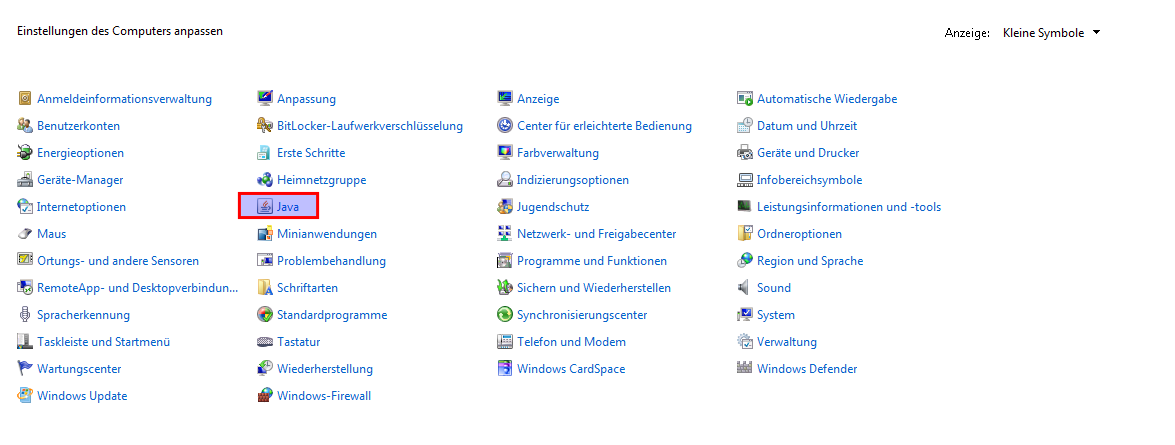
Dazu Systemsteuerung -> Java anklciken
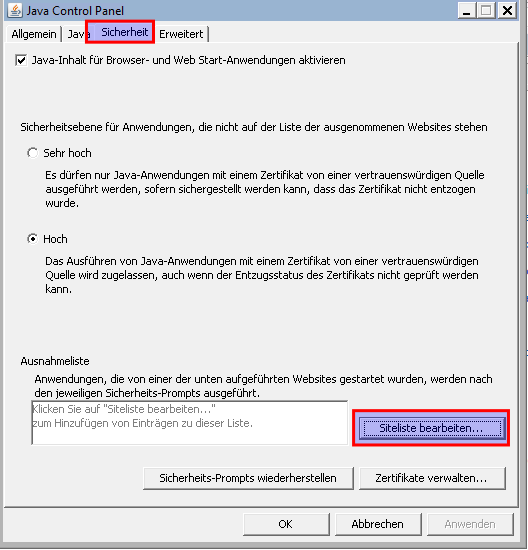
Dann auf den Registerreiter SIcherheit und dann Siteliste bearbeiten anklicken
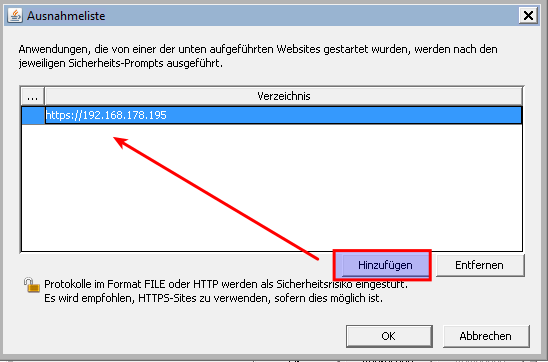
Dort auf hinzufügen klicken und dann kann man die https Adresse des ipmi Server eingeben
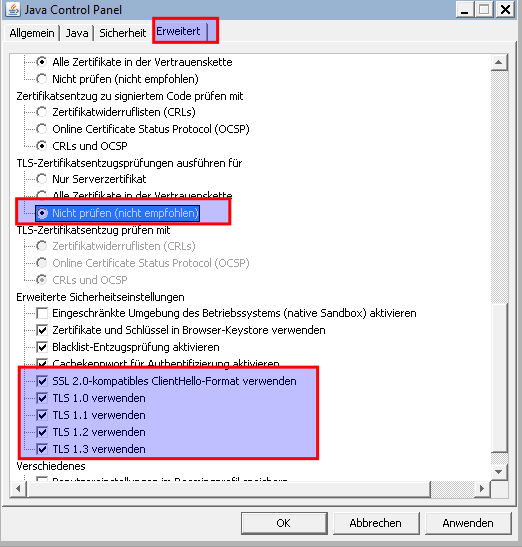
Dann auf erweitert und folgende Haken einhaken:
Nun mit OK durcklicken. Fertig
- IPMI URL Zur Ausnhame hinzufügen
- IPMIView downloaden und Extrahieren und installieren
Danach findet man im Startmenü unter Super Micro das IPMIView
Wenn man möchte kann man sich die Verknüpfung auch auf den Desktop kopieren
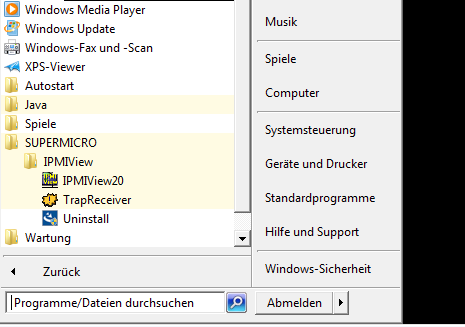
Bedienung IPMIView
Der erste Start dauert ein Wenig. Wenns gar nicht geht, einmal kurz Komp modus für Windows XP rein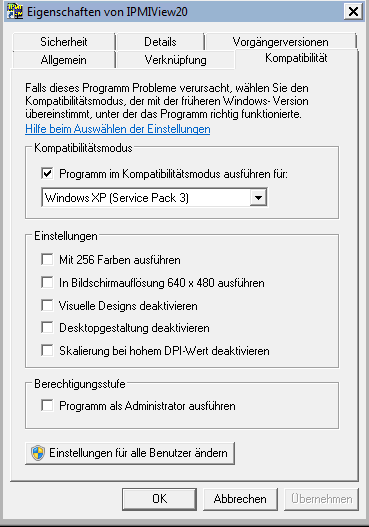
Kann nach dem erfolgreichen start wieder entfernt werden.
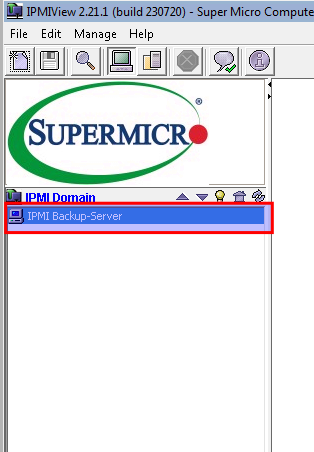
Auf das Neu Symbol klicken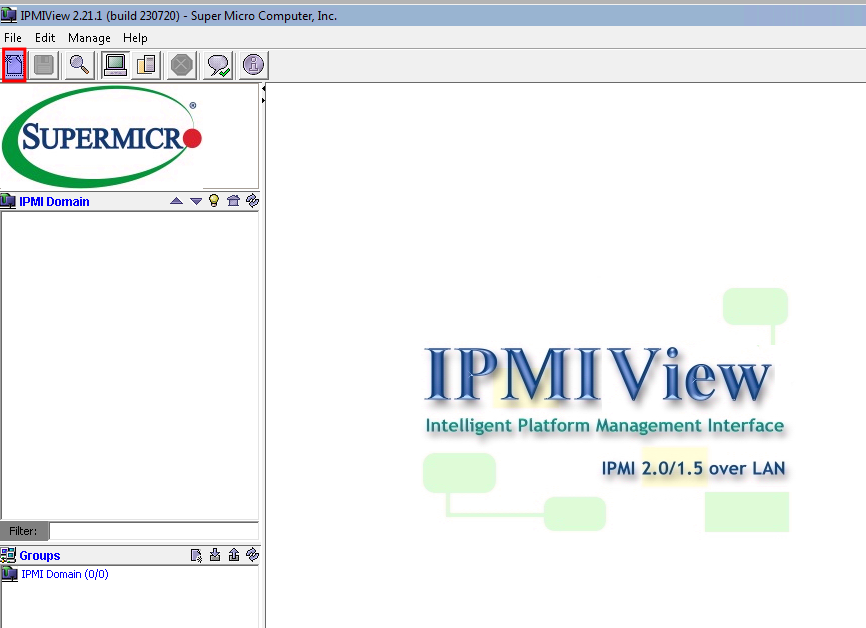
Nun die Daten eintragen
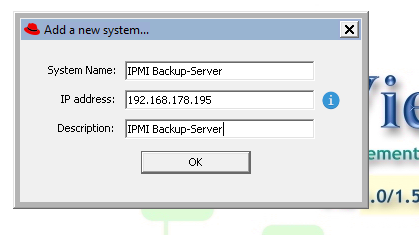
Nun steht unser Server in der Liste. Doppelklick drauf verbinden
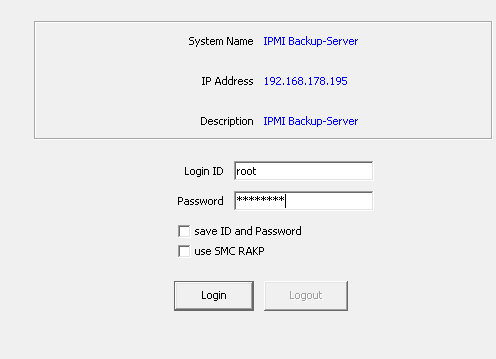
Benutzerdaten eingeben. Man kann auch anhaken ob diese gespeichert werden sollen.
Ich machs nicht. Aber geschmackssache
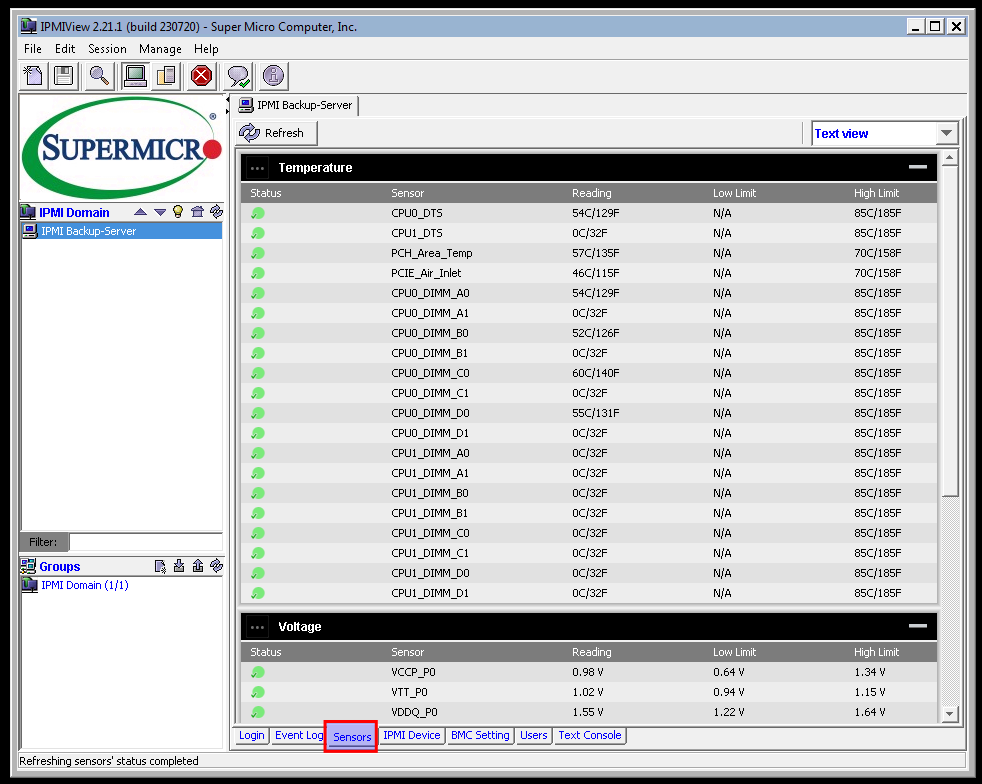
Verbunden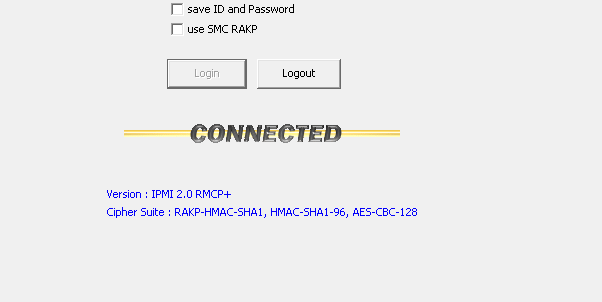
Unten sind die Registerreiter für die Verschiedenen Parameter
Bedienung iKVM über die Website
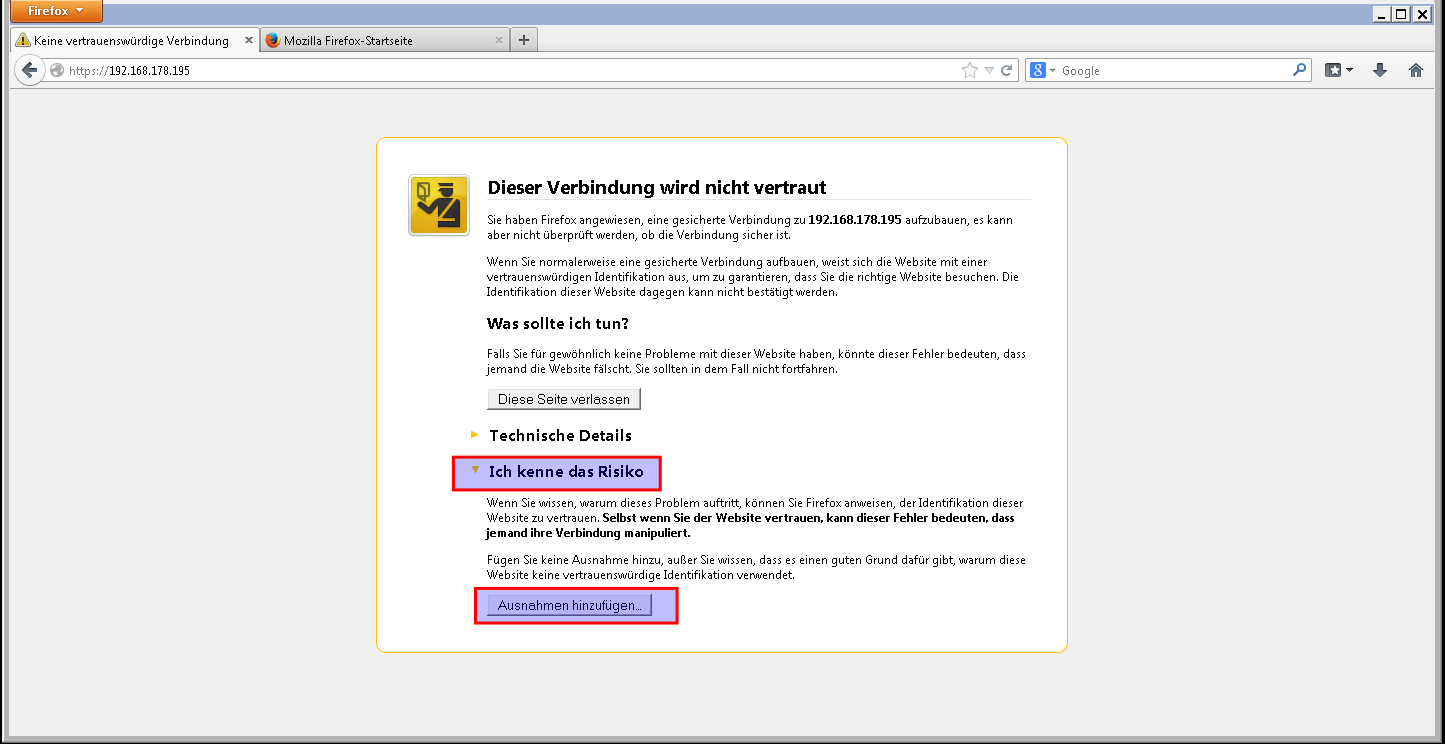
Firefox 25 öffnen und die ip Adresse in die Adresszeile eintippen
Die Website zur Ausnahme hinzufügen
Nun Popups immer erlauben aktivieren und dann einloggen
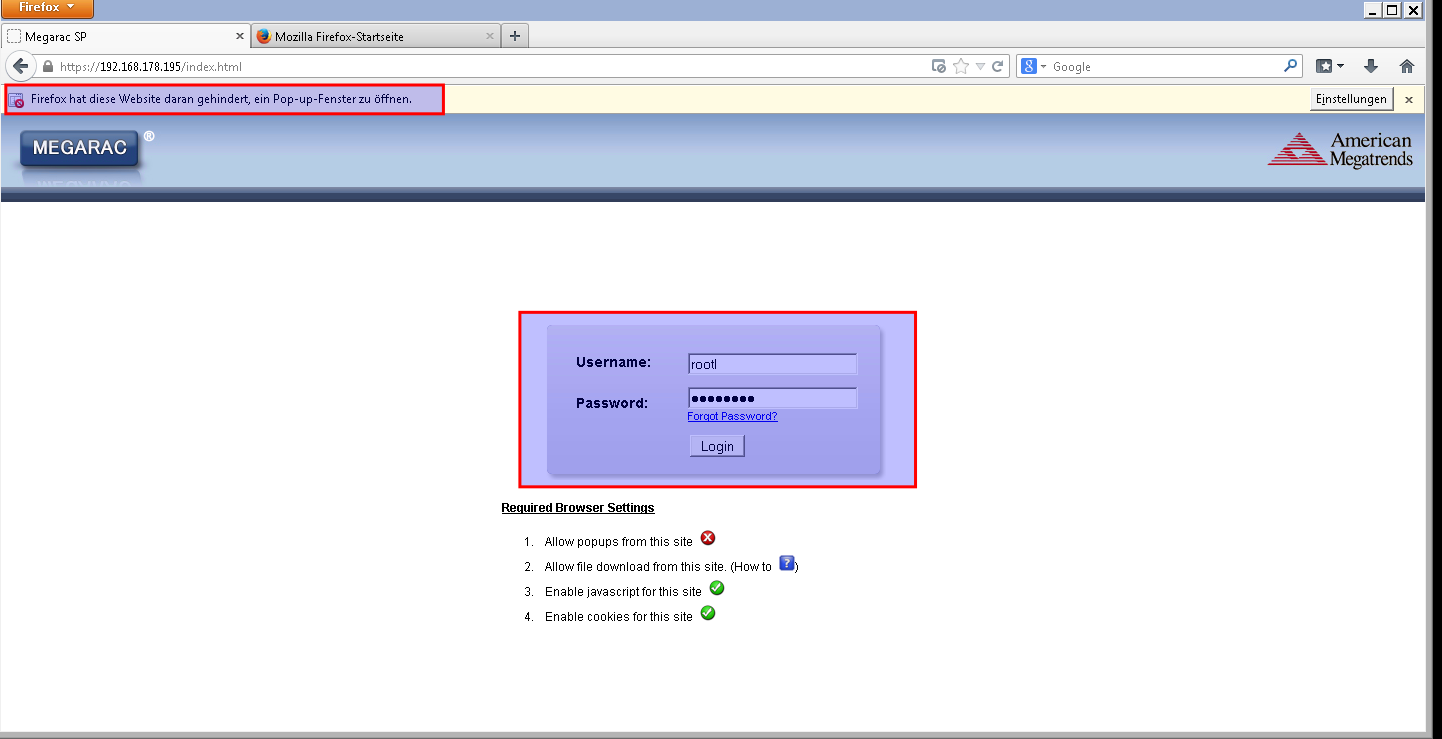
Bis das alles lädt dauert das ein weilchen.
Nun auf launch bei Remote Console klicken
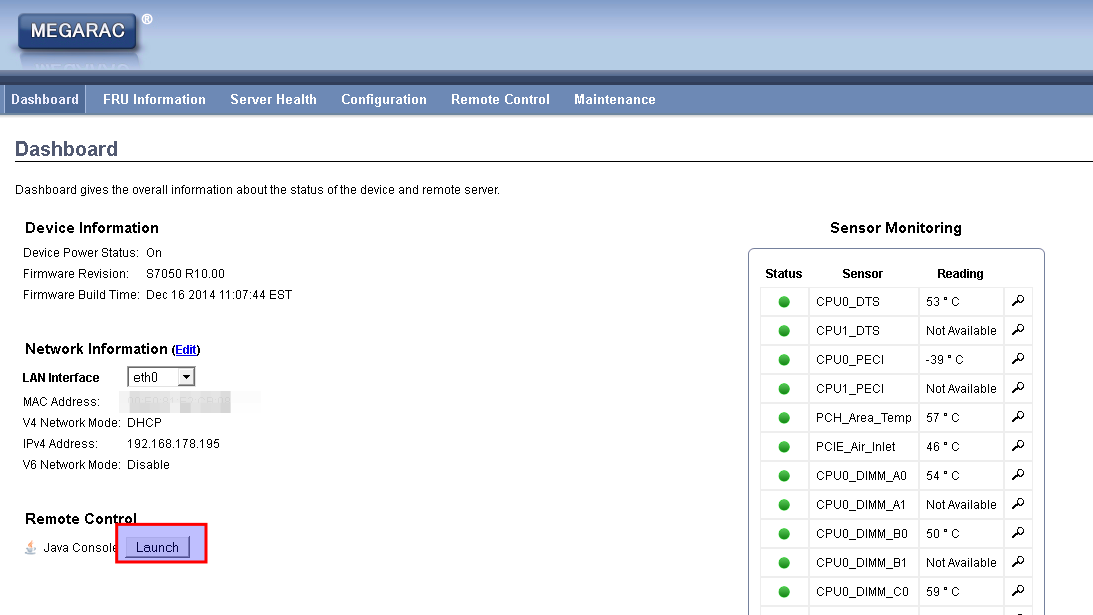
Nun abwarten es öffnet sich ein Popup und dann die Frage womit starten.
Java Webstart ist richtig, einfach ok anklciken