
Agents registrieren so das keine anderen Daten so abgefragt werden können
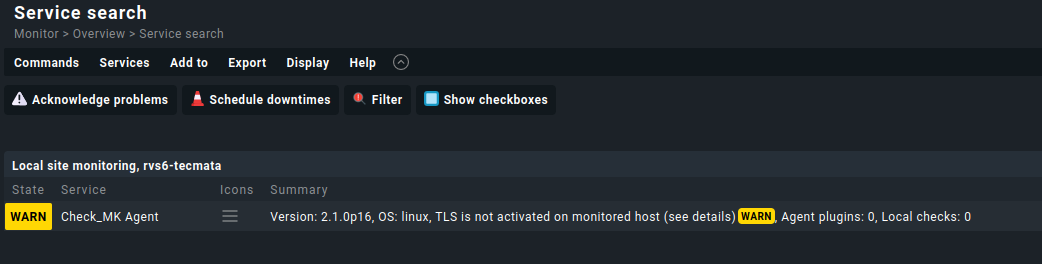
Wenn im Service AGENT diese Warnung steh, ist der Host mit seinem agent beim Checkmk Server noch nicht registriert.
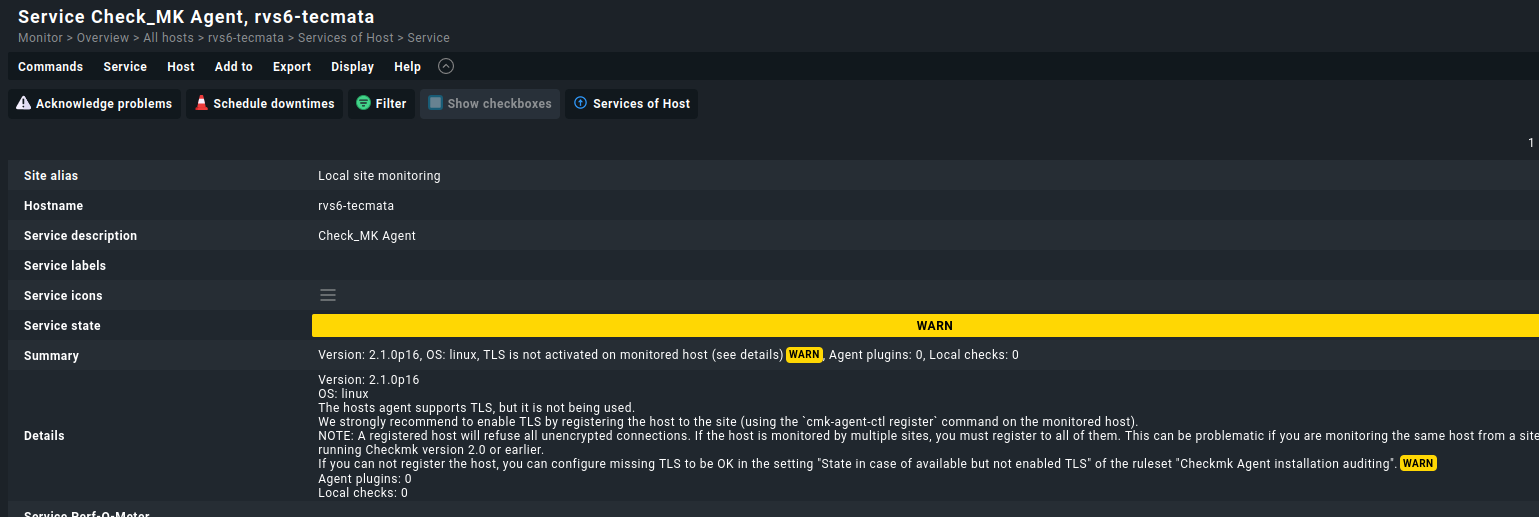
Dazu auf dem Host mit dem Ahttps://kb.checkmk.com/display/KB/Agent+Controllergent einloggen und mit cmk-agent-ctl hinzufügen
Hier einmal die Hilfe die wir mit Paramter -h bekommen
Der Befehl
cmk-agent-ctl -h

Ausgabe:

cmk-agent-ctl 2.1.0p16
Checkmk agent controller.

USAGE:
    cmk-agent-ctl <SUBCOMMAND>

FLAGS:
    -h, --help       Prints help information
    -V, --version    Prints version information

SUBCOMMANDS:
    daemon            Run as daemon and handle all pull and push connections
    delete            Delete a connection to a Checkmk instance
    delete-all        Delete all connections to Checkmk sites
    dump              Collect monitoring data and write it to standard output
    help              Prints this message or the help of the given subcommand(s)
    import            Import a pull connection from file or standard input
    proxy-register    Register with a Checkmk site on behalf of another host
    pull              Handle incoming connections from Checkmk sites collecting monitoring data
    push              Push monitoring data to all Checkmk sites configured for 'push'
    register          Register with a Checkmk site
    status            Query the registration status of this host
Hier die Parameter für den Befehl register
cmk-agent-ctl register -h

Ausgabe:

cmk-agent-ctl-register 1.0.0
Register with a Checkmk site

Register with a Checkmk instance for monitoring. The required information can be read from a config file or must be
passed via command line.

USAGE:
    cmk-agent-ctl register [FLAGS] [OPTIONS]

FLAGS:
    -d, --detect-proxy         Detect and use proxy settings configured on this system for outgoing HTTPS connections.
                               The default is to ignore configured proxies and to connect directly
    -h, --help                 Prints help information
        --trust-cert           Blindly trust the server certificate of the Checkmk site
        --validate-api-cert    Enable TLS certificate validation for querying the agent receiver port from the Checkmk
                               REST API. By default, certificate validation is disabled because it is not security-
                               relevant at this stage, see werk #14715
    -V, --version              Prints version information
    -v, --verbose              Enable verbose output. Use once (-v) for logging level INFO and twice (-vv) for logging
                               level DEBUG

OPTIONS:
    -H, --hostname <host-name>    Name of this host in the monitoring site
    -P, --password <password>     Password for API user. Can also be entered interactively
    -s, --server <server>         Address of the Checkmk site in the format "<server>" or "<server>:<port>"
    -i, --site <site>             Name of the Checkmk site
    -U, --user <user>             API user to use for registration
Welche PArameter brauchen wir?
Da wir ein selbstsigniertes Zertifikat haben brauchen wir folgende Parameter
 --validate-api-cert
 --password <password>
 --server <server>
 --site <sitename/instanzname>
 --user <user>
Also würde unser Befehl so aussehen.
cmk-agent-ctl register --trust-cert --password *****unsersischerspass**** --hostname rvs6-tecmata --server 192.168.0.33 --site monitoring --user automation