
Agents am CheckMK Server registrieren
Beschreibung:
Wenn im Service AGENT diese Warnung steh, ist der Host mit seinem agent beim Checkmk Server noch nicht registriert.
Der host wird erst im Checkmk angelegt und dann übers Terminal registriert. Ansosten steht diese Meldung hier.
Denn der Host kann den Agent ja erreichen, aber unverschlüsselt und fur jeden.
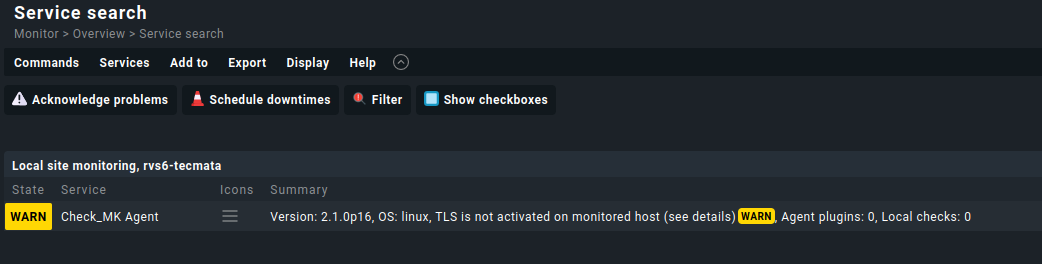
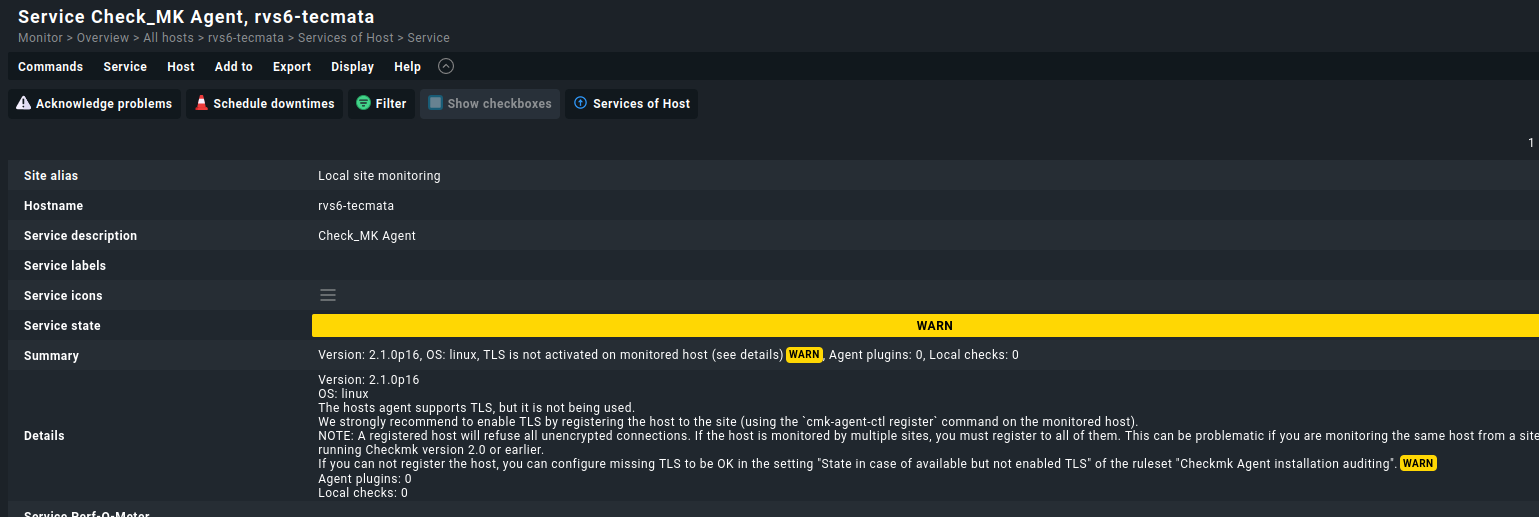
Warum das ganze?
Wenn der Agent unverschlüsselt läuft, kann jeder über den Port Daten vom Hostabgreifen
Befehl:
telnet 192.168.0.34 6556Die Ausgabe
<<<check_mk>>>
Version: 2.1.0p16
AgentOS: linux
Hostname: rvs6-tecmata
AgentDirectory: /etc/check_mk
DataDirectory: /var/lib/check_mk_agent
SpoolDirectory: /var/lib/check_mk_agent/spool
PluginsDirectory: /usr/lib/check_mk_agent/plugins
LocalDirectory: /usr/lib/check_mk_agent/local
FailedPythonReason:
SSHClient:
<<<cmk_agent_ctl_status:sep(0)>>>
{"version":"2.1.0p16","agent_socket_operational":true,"ip_allowlist":[],"allow_legacy_pull":true,"connections":[]}
<<<checkmk_agent_plugins_lnx:sep(0)>>>
pluginsdir /usr/lib/check_mk_agent/plugins
localdir /usr/lib/check_mk_agent/local
<<<labels:sep(0)>>>
<<<df>>>
tmpfs                         tmpfs     1616236      1568   1614668       1% /run
/dev/mapper/rvs6test--vg-root ext4    243008916 169841472  60750420      74% /
tmpfs                         tmpfs     8081168     46800   8034368       1% /dev/shm
tmpfs                         tmpfs        5120         0      5120       0% /run/lock
/dev/nvme0n1p2                ext2       481642    124858    331799      28% /boot
/dev/nvme0n1p1                vfat       523248      3512    519736       1% /boot/efi
/dev/fuse                     fuse       131072        52    131020       1% /etc/pve
tmpfs                         tmpfs     1616232         0   1616232       0% /run/user/0
<<<df>>>
[df_inodes_start]
tmpfs                         tmpfs  2020292  1131  2019161    1% /run
/dev/mapper/rvs6test--vg-root ext4  15507456 61994 15445462    1% /
tmpfs                         tmpfs  2020292   106  2020186    1% /dev/shm
tmpfs                         tmpfs  2020292    21  2020271    1% /run/lock
/dev/nvme0n1p2                ext2    124928   352   124576    1% /boot
/dev/nvme0n1p1                vfat         0     0        0     - /boot/efi
/dev/fuse                     fuse    262144    38   262106    1% /etc/pve
tmpfs                         tmpfs   404058    20   404038    1% /run/user/0
[df_inodes_end]
[df_lsblk_start]
{
   "blockdevices": [
      {"name":"/dev/sda", "uuid":null},
      {"name":"/dev/sda1", "uuid":"77085686-971d-498a-8692-0fd8048da3a0"},
      {"name":"/dev/sr0", "uuid":null},
      {"name":"/dev/mapper/nvme0n1p3_crypt", "uuid":"ZZLFwZ-JMTb-Qdcu-akhk-5gEc-d2kd-6idwqE"},
      {"name":"/dev/mapper/rvs6test--vg-root", "uuid":"da0060ca-629b-4f24-96e4-2bc3dd1dde9a"},
      {"name":"/dev/mapper/rvs6test--vg-swap_1", "uuid":"08efe098-7e3a-4ab0-b961-5154eb194d89"},
      {"name":"/dev/nvme0n1", "uuid":null},
      {"name":"/dev/nvme0n1p1", "uuid":"04B7-49AB"},
      {"name":"/dev/nvme0n1p2", "uuid":"0c954140-e9ed-457d-8833-f4564326cdd5"},
      {"name":"/dev/nvme0n1p3", "uuid":"663f7527-3144-4b54-9768-454e65aad4b4"}
   ]
}
[df_lsblk_end]
<<<systemd_units>>>
[list-unit-files]

...
<<<timesyncd>>>
       Server: 129.70.132.34 (2.debian.pool.ntp.org)
Poll interval: 34min 8s (min: 32s; max 34min 8s)
         Leap: normal
      Version: 4
      Stratum: 2
    Reference: 81468952
    Precision: 1us (-24)
Root distance: 3.287ms (max: 5s)
       Offset: +2.726ms
        Delay: 15.787ms
       Jitter: 5.769ms
 Packet count: 2634
    Frequency: -9.423ppm
[[[1674394719]]]
<<<timesyncd_ntpmessage:sep(10)>>>
NTPMessage={ Leap=0, Version=4, Mode=4, Stratum=2, Precision=-24, RootDelay=381us, RootDispersion=3.097ms, Reference=81468952, OriginateTimestamp=Sun 2023-01-22 14:38:39 CET, ReceiveTimestamp=Sun 2023-01-22 14:38:39 CET, TransmitTimestamp=Sun 2023-01-22 14:38:39 CET, DestinationTimestamp=Sun 2023-01-22 14:38:39 CET, Ignored=no PacketCount=2634, Jitter=5.769ms }
Timezone=Europe/Berlin
<<<local:sep(0)>>>
Connection closed by foreign host.
Nachdem der Server registriert wurde, sieht die Ausgabe nun so aus. Nun kann nur noch der Checkmk Server mit dem Zertifkat die Daten abrufen und keine dritten mehr. Denn das wäre ja noch so ohne Probleme gegangen, wie die obere Ausgabe ja zeigt.
oot@checkmk:~# telnet 192.168.0.34 6556
Trying 192.168.0.34...
Connected to 192.168.0.34.
Escape character is '^]'.
16


Is still waiting here...
No Output anymore
Wie registrieren wir den Server nun?
Unter Linux:
Dazu auf Sem Server einloggen wo der Agent läuft und mit cmk-agent-ctl hinzufügen
Hier einmal die Hilfe die wir mit Paramter -h bekommen. Keine Panik, weiter unten zeige ich ein Beispiel.
Der Befehl
cmk-agent-ctl -h

Ausgabe:

cmk-agent-ctl 2.1.0p16
Checkmk agent controller.

USAGE:
    cmk-agent-ctl <SUBCOMMAND>

FLAGS:
    -h, --help       Prints help information
    -V, --version    Prints version information

SUBCOMMANDS:
    daemon            Run as daemon and handle all pull and push connections
    delete            Delete a connection to a Checkmk instance
    delete-all        Delete all connections to Checkmk sites
    dump              Collect monitoring data and write it to standard output
    help              Prints this message or the help of the given subcommand(s)
    import            Import a pull connection from file or standard input
    proxy-register    Register with a Checkmk site on behalf of another host
    pull              Handle incoming connections from Checkmk sites collecting monitoring data
    push              Push monitoring data to all Checkmk sites configured for 'push'
    register          Register with a Checkmk site
    status            Query the registration status of this host
Hier die Parameter für den Befehl register aus der Hilfe
cmk-agent-ctl register -h

Ausgabe:

cmk-agent-ctl-register 1.0.0
Register with a Checkmk site

Register with a Checkmk instance for monitoring. The required information can be read from a config file or must be
passed via command line.

USAGE:
    cmk-agent-ctl register [FLAGS] [OPTIONS]

FLAGS:
    -d, --detect-proxy         Detect and use proxy settings configured on this system for outgoing HTTPS connections.
                               The default is to ignore configured proxies and to connect directly
    -h, --help                 Prints help information
        --trust-cert           Blindly trust the server certificate of the Checkmk site
        --validate-api-cert    Enable TLS certificate validation for querying the agent receiver port from the Checkmk
                               REST API. By default, certificate validation is disabled because it is not security-
                               relevant at this stage, see werk #14715
    -V, --version              Prints version information
    -v, --verbose              Enable verbose output. Use once (-v) for logging level INFO and twice (-vv) for logging
                               level DEBUG

OPTIONS:
    -H, --hostname <host-name>    Name of this host in the monitoring site
    -P, --password <password>     Password for API user. Can also be entered interactively
    -s, --server <server>         Address of the Checkmk site in the format "<server>" or "<server>:<port>"
    -i, --site <site>             Name of the Checkmk site
    -U, --user <user>             API user to use for registration
Welche Parameter brauchen wir?
Da wir ein selbstsigniertes Zertifikat haben brauchen wir folgende Parameter
 --trust-cert
 --password <password>
 --server <server>
 --site <sitename/instanzname>
 --user <user>
Also würde unser Befehl so aussehen:
cmk-agent-ctl register --trust-cert --password *****unsersischerspass**** --hostname rvs6-tecmata --server 192.168.0.33 --site monitoring --user automation Erläuterung der Paramter:
--password das automation user api password
--hostname der Hostname des Servers den wir registrieren wollen, dieser name muss identisch mit dem im checkmk sein, im Feld hostname hier rvs6-tecmata
--server : unser checkmkserver an dem wir den client registrieren wollen
--site unsere site / intanz auf dem checkmk server hier monitoring
--user der api user hier automation
Unter Windows
Eine Eingabeaufforderung mit Admin rechten Öffnen
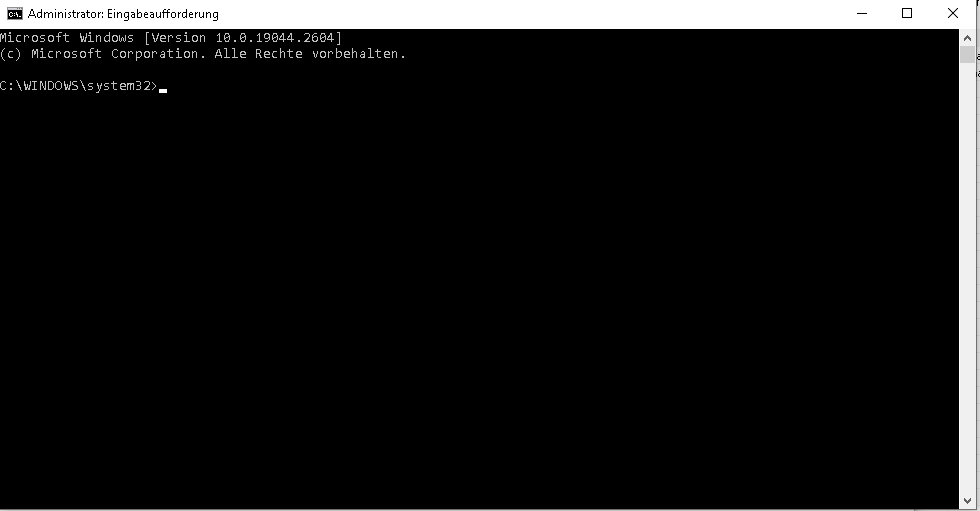
Nun den Client mit -h öffnen um die Parameter zu bekommen.
C:\WINDOWS\system32>"C:\Program Files (x86)\checkmk\service\cmk-agent-ctl.exe" -h
cmk-agent-ctl 2.1.0p16
Checkmk agent controller.

USAGE:
    cmk-agent-ctl.exe <SUBCOMMAND>

FLAGS:
    -h, --help       Prints help information
    -V, --version    Prints version information

SUBCOMMANDS:
    daemon            Run as daemon and handle all pull and push connections
    delete            Delete a connection to a Checkmk instance
    delete-all        Delete all connections to Checkmk sites
    dump              Collect monitoring data and write it to standard output
    help              Prints this message or the help of the given subcommand(s)
    import            Import a pull connection from file or standard input
    proxy-register    Register with a Checkmk site on behalf of another host
    pull              Handle incoming connections from Checkmk sites collecting monitoring data
    push              Push monitoring data to all Checkmk sites configured for 'push'
    register          Register with a Checkmk site
    status            Query the registration status of this host

C:\WINDOWS\system32>
Dann lassen wir uns die Hilfe für den Parameter register anzeigen
C:\WINDOWS\system32>"C:\Program Files (x86)\checkmk\service\cmk-agent-ctl.exe" register -h
cmk-agent-ctl.exe-register 1.0.0
Register with a Checkmk site

Register with a Checkmk instance for monitoring. The required information can be read from a config file or must be
passed via command line.

USAGE:
    cmk-agent-ctl.exe register [FLAGS] [OPTIONS]

FLAGS:
    -d, --detect-proxy         Detect and use proxy settings configured on this system for outgoing HTTPS connections.
                               The default is to ignore configured proxies and to connect directly
    -h, --help                 Prints help information
        --trust-cert           Blindly trust the server certificate of the Checkmk site
        --validate-api-cert    Enable TLS certificate validation for querying the agent receiver port from the Checkmk
                               REST API. By default, certificate validation is disabled because it is not security-
                               relevant at this stage, see werk #14715
    -V, --version              Prints version information
    -v, --verbose              Enable verbose output. Use once (-v) for logging level INFO and twice (-vv) for logging
                               level DEBUG

OPTIONS:
    -H, --hostname <host-name>    Name of this host in the monitoring site
    -P, --password <password>     Password for API user. Can also be entered interactively
    -s, --server <server>         Address of the Checkmk site in the format "<server>" or "<server>:<port>"
    -i, --site <site>             Name of the Checkmk site
    -U, --user <user>             API user to use for registration
Welche Parameter brauchen wir?
Da wir ein selbstsigniertes Zertifikat haben brauchen wir folgende Parameter
 --trust-cert
 --password <password>
 --server <server>
 --site <sitename/instanzname>
 --user <user>
Also würde unser Befehl so aussehen:
"C:\Program Files (x86)\checkmk\service\cmk-agent-ctl.exe" register --trust-cert --password *****unsersischerspass**** --hostname rvs6-tecmata --server 192.168.0.33 --site monitoring --user automation Wenn alles geklappt hat wird nichts als Ausgabe zurück gegeben.
Nun können wir den Status überpüfen:
"C:\Program Files (x86)\checkmk\service\cmk-agent-ctl.exe" status
Version: 2.1.0p16
Agent socket: operational
IP allowlist: any


Connection: ip:8000/monitoring
        UUID: 00bf5de9-7d67-4c76-a9c5-886310581f19
        Local:
                Connection type: pull-agent
                Certificate issuer: Site 'monitoring' local CA
                Certificate validity: Wed, 08 Mar 2023 12:14:56 +0000 - Mon, 09 Jul 3021 12:14:56 +0000
        Remote:
                Connection type: pull-agent
                Registration state: operational
                Host name: jtl-wawiclient

C:\WINDOWS\system32>
Nun ist die Warnung weg.
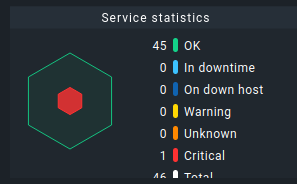
Ob dieser abschnitt noch beötigt wird weiß ich nicht, ich lasse es erstmal stehen
Bleibt der Fehler bestehen und es ist noch eine CRIT Warnung dazu gekommen die lautet
[agent] Host is registered for TLS but not using itCRIT, Got no information from hostCRIT, execution time 0.1 sec
