
Installation Docker
Beschreibung:
Firefly III installation via Docker
Voraussetzungen:
apt install curl docker.io docker-composeInstallation:Installation Docker instanz:
Projekt Verzeichnis anlegen
mkdir -p /root/firefly3/nginxCertfilescript anlegen und ausführen
nano /root/firefly3/generate_cert.sh#!/bin/bash
CERT_DIR="/root/firefly3/nginx/ssl"
mkdir -p $CERT_DIR
openssl req -x509 -nodes -days 36500 -newkey rsa:2048 \
-keyout $CERT_DIR/key.pem -out $CERT_DIR/cert.pem \
-subj "/C=US/ST=Example/L=Example/O=Example/CN=example.com"ausführbar machen
chmod +x /root/firefly3/generate_cert.shAusführen
cd /root/firefly3
./generate_cert.sh
Nun die nginx-config
nano /root/firefly3/nginx-proxy.confInhalt:
events {
  worker_connections 1024;
}

http {
  server {
    listen 80;
    return 301 https://$host$request_uri;
  }

  server {
    listen 443 ssl;
    ssl_certificate /etc/nginx/ssl/cert.pem;
    ssl_certificate_key /etc/nginx/ssl/key.pem;

    location / {
      proxy_pass http://app:8080;
      proxy_set_header X-Forwarded-Proto $scheme;
      proxy_set_header X-Forwarded-Host $host;
      proxy_set_header X-Forwarded-Server $host;
      proxy_set_header X-Forwarded-For $proxy_add_x_forwarded_for;
      proxy_set_header Host $host;
      # This line is optional and may help in some cases.
      # proxy_set_header X-Forwarded-Port $server_port;
      client_max_body_size 64M;
      proxy_read_timeout 300s;
    }
  }
}
.env Datei erstellen
nano /root/firefly3/.envInhalt, passwärterDatenbank Passwörter, Emaildaten und App URL anpassen.
# You can leave this on "local". If you change it to production most console commands will ask for extra confirmation.
# Never set it to "testing".
APP_ENV=production

# Set to true if you want to see debug information in error screens.
APP_DEBUG=false

# This should be your email address.
# If you use Docker or similar, you can set this variable from a file by using SITE_OWNER_FILE
# The variable is used in some errors shown to users who aren't admin.
SITE_OWNER=mail@example.com

# The encryption key for your sessions. Keep this very secure.
# Change it to a string of exactly 32 chars or use something like `php artisan key:generate` to generate it.
# If you use Docker or similar, you can set this variable from a file by using APP_KEY_FILE
#
# Avoid the "#" character in your APP_KEY, it may break things.
#
APP_KEY=SomeRandomStringOf32CharsExactly

# Firefly III will launch using this language (for new users and unauthenticated visitors)
# For a list of available languages: https://github.com/firefly-iii/firefly-iii/blob/main/config/firefly.php#L123
#
# If text is still in English, remember that not everything may have been translated.
DEFAULT_LANGUAGE=de_DE

# The locale defines how numbers are formatted.
# by default this value is the same as whatever the language is.
DEFAULT_LOCALE=equal

# Change this value to your preferred time zone.
# Example: Europe/Amsterdam
# For a list of supported time zones, see https://en.wikipedia.org/wiki/List_of_tz_database_time_zones
TZ=Europe/Berlin

# TRUSTED_PROXIES is a useful variable when using Docker and/or a reverse proxy.
# Set it to ** and reverse proxies work just fine.
TRUSTED_PROXIES=*

# The log channel defines where your log entries go to.
# Several other options exist. You can use 'single' for one big fat error log (not recommended).
# Also available are 'syslog', 'errorlog' and 'stdout' which will log to the system itself.
# A rotating log option is 'daily', creates 5 files that (surprise) rotate.
# A cool option is 'papertrail' for cloud logging
# Default setting 'stack' will log to 'daily' and to 'stdout' at the same time.
LOG_CHANNEL=stack

# Log level. You can set this from least severe to most severe:
# debug, info, notice, warning, error, critical, alert, emergency
# If you set it to debug your logs will grow large, and fast. If you set it to emergency probably
# nothing will get logged, ever.
APP_LOG_LEVEL=notice

# Audit log level.
# The audit log is used to log notable Firefly III events on a separate channel.
# These log entries may contain sensitive financial information.
# The audit log is disabled by default.
#
# To enable it, set AUDIT_LOG_LEVEL to "info"
# To disable it, set AUDIT_LOG_LEVEL to "emergency"
AUDIT_LOG_LEVEL=emergency

#
# If you want, you can redirect the audit logs to another channel.
# Set 'audit_stdout', 'audit_syslog', 'audit_errorlog' to log to the system itself.
# Use audit_daily to log to a rotating file.
# Use audit_papertrail to log to papertrail.
#
# If you do this, the audit logs may be mixed with normal logs because the settings for these channels
# are often the same as the settings for the normal logs.
AUDIT_LOG_CHANNEL=

#
# Used when logging to papertrail:
# Also used when audit logs log to papertrail:
#
PAPERTRAIL_HOST=
PAPERTRAIL_PORT=

# Database credentials. Make sure the database exists. I recommend a dedicated user for Firefly III
# For other database types, please see the FAQ: https://docs.firefly-iii.org/references/faq/install/#i-want-to-use-sqlite
# If you use Docker or similar, you can set these variables from a file by appending them with _FILE
# Use "pgsql" for PostgreSQL
# Use "mysql" for MySQL and MariaDB.
# Use "sqlite" for SQLite.
DB_CONNECTION=mysql
DB_HOST=db
DB_PORT=3306
DB_DATABASE=firefly
DB_USERNAME=firefly
DB_PASSWORD=secret_firefly_password
MYSQL_PASSWORD=secret_firefly_password
MYSQL_RANDOM_ROOT_PASSWORD=yes
MYSQL_USER=firefly
MYSQL_DATABASE=firefly
MARIADB_ROOT_PASSWORD=secret_firefly_password

# leave empty or omit when not using a socket connection
DB_SOCKET=

# MySQL supports SSL. You can configure it here.
# If you use Docker or similar, you can set these variables from a file by appending them with _FILE
MYSQL_USE_SSL=false
MYSQL_SSL_VERIFY_SERVER_CERT=true
# You need to set at least of these options
MYSQL_SSL_CAPATH=/etc/ssl/certs/
MYSQL_SSL_CA=
MYSQL_SSL_CERT=
MYSQL_SSL_KEY=
MYSQL_SSL_CIPHER=

# PostgreSQL supports SSL. You can configure it here.
# If you use Docker or similar, you can set these variables from a file by appending them with _FILE
PGSQL_SSL_MODE=prefer
PGSQL_SSL_ROOT_CERT=null
PGSQL_SSL_CERT=null
PGSQL_SSL_KEY=null
PGSQL_SSL_CRL_FILE=null

# For postgresql 15 and up, setting this to public will no longer work as expected, becasuse the
# 'public' schema is without grants. This can be worked around by having a super user grant those
# necessary privileges, but in security conscious setups that's not viable.
# You will need to set this to the schema you want to use.
PGSQL_SCHEMA=public

# If you're looking for performance improvements, you could install memcached or redis
CACHE_DRIVER=file
SESSION_DRIVER=file

# If you set either of the options above to 'redis', you might want to update these settings too
# If you use Docker or similar, you can set REDIS_HOST_FILE, REDIS_PASSWORD_FILE or
# REDIS_PORT_FILE to set the value from a file instead of from an environment variable

# can be tcp or unix. http is not supported
REDIS_SCHEME=tcp

# use only when using 'unix' for REDIS_SCHEME. Leave empty otherwise.
REDIS_PATH=

# use only when using 'tcp' or 'http' for REDIS_SCHEME. Leave empty otherwise.
REDIS_HOST=127.0.0.1
REDIS_PORT=6379

# Use only with Redis 6+ with proper ACL set. Leave empty otherwise.
REDIS_USERNAME=
REDIS_PASSWORD=

# always use quotes and make sure redis db "0" and "1" exists. Otherwise change accordingly.
REDIS_DB="0"
REDIS_CACHE_DB="1"

# Cookie settings. Should not be necessary to change these.
# If you use Docker or similar, you can set COOKIE_DOMAIN_FILE to set
# the value from a file instead of from an environment variable
# Setting samesite to "strict" may give you trouble logging in.
COOKIE_PATH="/"
COOKIE_DOMAIN=
COOKIE_SECURE=false
COOKIE_SAMESITE=lax

# If you want Firefly III to email you, update these settings
# For instructions, see: https://docs.firefly-iii.org/how-to/firefly-iii/advanced/notifications/#email
# If you use Docker or similar, you can set these variables from a file by appending them with _FILE
MAIL_MAILER=log
MAIL_HOST=null
MAIL_PORT=2525
MAIL_FROM=changeme@example.com
MAIL_USERNAME=null
MAIL_PASSWORD=null
MAIL_ENCRYPTION=null
MAIL_SENDMAIL_COMMAND=

#
# If you use self-signed certificates for your STMP server, you can use the following settings.
#
MAIL_ALLOW_SELF_SIGNED=false
MAIL_VERIFY_PEER=true
MAIL_VERIFY_PEER_NAME=true

# Other mail drivers:
# If you use Docker or similar, you can set these variables from a file by appending them with _FILE
MAILGUN_DOMAIN=
MAILGUN_SECRET=

# If you are on EU region in mailgun, use api.eu.mailgun.net, otherwise use api.mailgun.net
# If you use Docker or similar, you can set this variable from a file by appending it with _FILE
MAILGUN_ENDPOINT=api.mailgun.net

# If you use Docker or similar, you can set these variables from a file by appending them with _FILE
MANDRILL_SECRET=
SPARKPOST_SECRET=
MAILERSEND_API_KEY=

# Firefly III can send you the following messages.
SEND_ERROR_MESSAGE=true

# These messages contain (sensitive) transaction information:
SEND_REPORT_JOURNALS=true

# Set this value to true if you want to set the location of certain things, like transactions.
# Since this involves an external service, it's optional and disabled by default.
ENABLE_EXTERNAL_MAP=false

#
# Enable or disable exchange rate conversion.
#
ENABLE_EXCHANGE_RATES=false

# Set this value to true if you want Firefly III to download currency exchange rates
# from the internet. These rates are hosted by the creator of Firefly III inside
# an Azure Storage Container.
# Not all currencies may be available. Rates may be wrong.
ENABLE_EXTERNAL_RATES=false

# The map will default to this location:
MAP_DEFAULT_LAT=51.983333
MAP_DEFAULT_LONG=5.916667
MAP_DEFAULT_ZOOM=6

#
# Some objects have room for an URL, like transactions and webhooks.
# By default, the following protocols are allowed:
# http, https, ftp, ftps, mailto
#
# To change this, set your preferred comma separated set below.
# Be sure to include http, https and other default ones if you need to.
#
VALID_URL_PROTOCOLS=

#
# Firefly III authentication settings
#

#
# Firefly III supports a few authentication methods:
# - 'web' (default, uses built in DB)
# - 'remote_user_guard' for Authelia etc
# Read more about these settings in the documentation.
# https://docs.firefly-iii.org/how-to/firefly-iii/advanced/authentication/
#
# LDAP is no longer supported :(
#
AUTHENTICATION_GUARD=web

#
# Remote user guard settings
#
AUTHENTICATION_GUARD_HEADER=REMOTE_USER
AUTHENTICATION_GUARD_EMAIL=

#
# Firefly III generates a basic keypair for your OAuth tokens.
# If you want, you can overrule the key with your own (secure) value.
# It's also possible to set PASSPORT_PUBLIC_KEY_FILE or PASSPORT_PRIVATE_KEY_FILE
# if you're using Docker secrets or similar solutions for secret management
#
PASSPORT_PRIVATE_KEY=
PASSPORT_PUBLIC_KEY=

#
# Extra authentication settings
#
CUSTOM_LOGOUT_URL=

# You can disable the X-Frame-Options header if it interferes with tools like
# Organizr. This is at your own risk. Applications running in frames run the risk
# of leaking information to their parent frame.
DISABLE_FRAME_HEADER=false

# You can disable the Content Security Policy header when you're using an ancient browser
# or any version of Microsoft Edge / Internet Explorer (which amounts to the same thing really)
# This leaves you with the risk of not being able to stop XSS bugs should they ever surface.
# This is at your own risk.
DISABLE_CSP_HEADER=false

# If you wish to track your own behavior over Firefly III, set valid analytics tracker information here.
# Nobody uses this except for me on the demo site. But hey, feel free to use this if you want to.
# Do not prepend the TRACKER_URL with http:// or https://
# The only tracker supported is Matomo.
# You can set the following variables from a file by appending them with _FILE:
TRACKER_SITE_ID=
TRACKER_URL=

#
# Firefly III supports webhooks. These are security sensitive and must be enabled manually first.
#
ALLOW_WEBHOOKS=false

#
# The static cron job token can be useful when you use Docker and wish to manage cron jobs.
# 1. Set this token to any 32-character value (this is important!).
# 2. Use this token in the cron URL instead of a user's command line token that you can find in /profile
#
# For more info: https://docs.firefly-iii.org/how-to/firefly-iii/advanced/cron/
#
# You can set this variable from a file by appending it with _FILE
#
STATIC_CRON_TOKEN=PLEASE_REPLACE_WITH_32_CHAR_CODE

# You can fine tune the start-up of a Docker container by editing these environment variables.
# Use this at your own risk. Disabling certain checks and features may result in lots of inconsistent data.
# However if you know what you're doing you can significantly speed up container start times.
# Set each value to true to enable, or false to disable.

# Check if the SQLite database exists. Can be skipped if you're not using SQLite.
# Won't significantly speed up things.
DKR_CHECK_SQLITE=true

# Leave the following configuration vars as is.
# Unless you like to tinker and know what you're doing.
APP_NAME=FireflyIII
BROADCAST_DRIVER=log
QUEUE_DRIVER=sync
CACHE_PREFIX=firefly
PUSHER_KEY=
IPINFO_TOKEN=
PUSHER_SECRET=
PUSHER_ID=
DEMO_USERNAME=
DEMO_PASSWORD=

#
# Disable or enable the running balance column data
# Please disable this. It's a very experimental feature.
#
USE_RUNNING_BALANCE=false

#
# The v2 layout is very experimental. If it breaks you get to keep both parts.
# Be wary of data loss.
#
FIREFLY_III_LAYOUT=v1

#
# Which Query Parser implementation to use for the search engine and rules
# 'new' is experimental, 'legacy' is the classic one
#
QUERY_PARSER_IMPLEMENTATION=new

#
# Please make sure this URL matches the external URL of your Firefly III installation.
# It is used to validate specific requests and to generate URLs in emails.
#
APP_URL=http://localhost
docker-compose Datei erstellen
nano /root/firefly3/docker-compose.ymlInhalt
services:
  app:
    image: fireflyiii/core:latest
    hostname: app
    container_name: firefly_iii_core
    restart: always
    volumes:
      - ./firefly_iii_upload:/var/www/html/storage/upload
    env_file: .env
    networks:
      - firefly_iii
    ports:
      - 8080:8080
    depends_on:
      - db

  import:
    image: benkl/firefly-iii-fints-importer
    volumes:
      - ./data/configurations:/app/configurations
    ports:
      - 8081:8080
    networks:
      - firefly_iii

  db:
    image: mariadb:lts
    hostname: db
    container_name: firefly_iii_db
    restart: always
    env_file: .env
    networks:
      - firefly_iii
    volumes:
      - ./firefly_iii_db:/var/lib/mysql
  cron:
    #
    # To make this work, set STATIC_CRON_TOKEN in your .env file or as an environment variable
    # The STATIC_CRON_TOKEN must be *exactly* 32 characters long
    #
    image: alpine
    restart: always
    container_name: firefly_iii_cron
    env_file: .env
    command: sh -c "
      apk add tzdata && \
      ln -fs /usr/share/zoneinfo/$$TZ /etc/localtime && \
      echo \"0 3 * * * wget -qO- http://app:8080/api/v1/cron/$$STATIC_CRON_TOKEN;echo\"
      | crontab - && \
      crond -f -L /dev/stdout"
    networks:
      - firefly_iii
    depends_on:
      - app

  nginx:
      image: nginx:stable
      container_name: nginx-proxy
      volumes:
        - ./nginx-proxy.conf:/etc/nginx/nginx.conf:ro
        - ./nginx/ssl:/etc/nginx/ssl
      ports:
        - "80:80"
        - "443:443"
      depends_on:
        - app
      networks:
        - firefly_iii
      restart: always

networks:
  firefly_iii:
    driver: bridge
Der ertse start kann ein bisschen dauern bis zu ca 3 minuten. Einfach in den logs beobachten.
Aber erstmal starten
docker-compose up -dNun in die logs reinschauen
docker-compose logs appAusgabe zum schluss:
firefly_iii_core |       FireflyIII\Console\Commands\Upgrade\UpgradesDatabase::callInitialCommands()
firefly_iii_core |
firefly_iii_core |   [✓] Encryption keys have been created, nice!
firefly_iii_core | [2025-09-02 17:58:31] production.ERROR: SQLSTATE[HY000] [2002] php_network_getaddresses: getaddrinfo for db failed: Name or service not known (Connection: mysql, SQL: select * from `configuration` where `name` = db_version and `deleted_at` is null and `configuration`.`deleted_at` is null limit 1)
firefly_iii_core | [2025-09-02 17:58:31] production.ERROR: SQLSTATE[HY000] [2002] php_network_getaddresses: getaddrinfo for db failed: Name or service not known (Connection: mysql, SQL: select * from `configuration` where `name` = ff3_version and `deleted_at` is null and `configuration`.`deleted_at` is null limit 1)
firefly_iii_core |   [i] Updated version.
firefly_iii_core |   [✓] No security alerts for version 6.3.2
firefly_iii_core |
firefly_iii_core |               ______ _           __ _            _____ _____ _____
firefly_iii_core |              |  ____(_)         / _| |          |_   _|_   _|_   _|
firefly_iii_core |              | |__   _ _ __ ___| |_| |_   _       | |   | |   | |
firefly_iii_core |              |  __| | | '__/ _ \  _| | | | |      | |   | |   | |
firefly_iii_core |              | |    | | | |  __/ | | | |_| |     _| |_ _| |_ _| |_
firefly_iii_core |              |_|    |_|_|  \___|_| |_|\__, |    |_____|_____|_____|
firefly_iii_core |                                        __/ |
firefly_iii_core |                                       |___/
firefly_iii_core |        "Doesn't look like anything to me."
firefly_iii_core |
firefly_iii_core | +------------------------------------------------------------------------------+
firefly_iii_core | |                                                                              |
firefly_iii_core | | Thank you for installing Firefly III, v6.3.2!                                |
firefly_iii_core | | There are no extra installation instructions.                                |
firefly_iii_core | | Firefly III should be ready for use.                                         |
firefly_iii_core | |                                                                              |
firefly_iii_core | | Did you know you can support the development of Firefly III?                 |
firefly_iii_core | | You can donate in many ways, like GitHub Sponsors or Patreon.                |
firefly_iii_core | | For more information, please visit https://bit.ly/donate-to-Firefly-III      |
firefly_iii_core | |                                                                              |
firefly_iii_core | +------------------------------------------------------------------------------+
firefly_iii_core | [02-Sep-2025 17:58:33] NOTICE: fpm is running, pid 385
firefly_iii_core | [02-Sep-2025 17:58:33] NOTICE: ready to handle connections
firefly_iii_core | ✅ NGINX + PHP-FPM is running correctly.
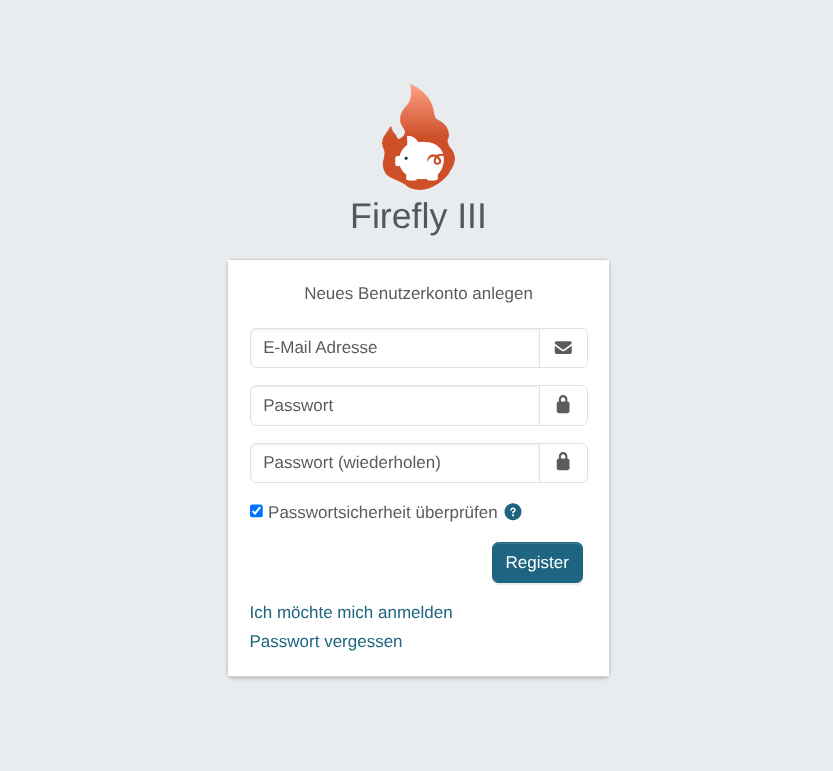
Nun Konto erstellen über https://ip
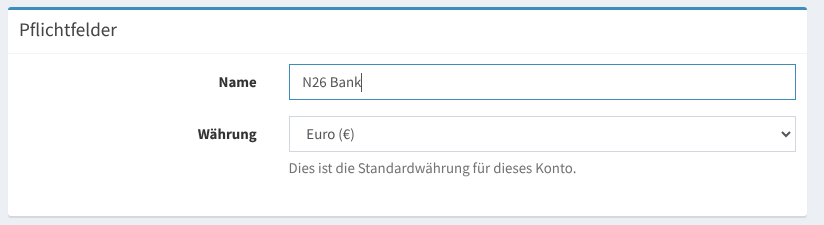
Nach dem Login ein Bankkonto anlegen.
Fertig.
Bankkonto Importer Konfigurieren:
Wir haben in unserem Docker setup, den Container für Bankabgleich eingebaut.
Die Konfiguration ist aufzurufen über http://ip:8081
