
Daten einer einzelnen Apllikation sichern
Beschreibung:
Es gibt momente da möchte man nicht alles wiederherstellen, sondern nur eine Einzelne Applikation.
Oder man möchte eine Applikation mit Daten auf eine andere Instanz übertragen.
Vorrausetzung:
Der SQL-Server ist von außen erreichbar oder auf den gleichem Host erreichbar.
DIe Applikationen die transferiert werden haben quelle und ziel den gleichen Versionsstand.
Abblauf:
Appliaktion auf neue Instanz ausrollen.
Applikationsdaten auf neue Instanz ausrollen (Die vorhandenen aus der Datenbank werden gelöscht).
Backupprogramm erstellen:
Das Backupprogramm ist ein docker-container auf Debian 13 trixie basis
Es besteht aus einer dockerfile
einem Script
einer docker-compose datei
Das Script backup_Script.py
#!/usr/bin/python3
import os
import subprocess
from datetime import datetime

def backup_or_restore():
    # Read environment variables
    host = os.getenv("BACKUP_HOST")
    database = os.getenv("BACKUP_DATABASE")
    schema = os.getenv("BACKUP_SCHEMA")
    user = os.getenv("BACKUP_USER")
    password = os.getenv("BACKUP_PASSWORD")
    action = os.getenv("BACKUP_ACTION", "backup")
    restore_file = os.getenv("RESTORE_FILE")  # Datei für das Restore

    # Set backup file name with current date
    backup_file = f"/backup/{database}_{schema}_{datetime.now().strftime('%Y%m%d_%H%M%S')}.sql"

    # Set environment variable for password
    env = {"PGPASSWORD": password}

    if action == "backup":
        # Create the backup command
        command = [
            "pg_dump",
            "-h", host,
            "-U", user,
            "-d", database,
            "-n", schema,
            "-f", backup_file
        ]
        try:
            print("Erstelle Backup...")
            subprocess.run(command, env=env, check=True)
            print(f"Backup erfolgreich erstellt: {backup_file}")
        except subprocess.CalledProcessError as e:
            print(f"Fehler beim Erstellen des Backups: {e}")

    elif action == "restore":
        # Verwende die angegebene Datei oder den automatisch benannten Dateinamen
        if not restore_file:
            print("Fehler: Keine Datei für das Restore angegeben.")
            return

        drop_schema_command = f"DROP SCHEMA IF EXISTS {schema} CASCADE;\n"

        try:
            # Read the specified backup file
            with open(restore_file, 'r') as f:
                backup_content = f.read()

            restore_content = drop_schema_command + backup_content

            # Write to a temporary file
            temp_file = f"{restore_file}.temp.sql"
            with open(temp_file, 'w') as f:
                f.write(restore_content)

            # Run the restore command
            command = [
                "psql",
                "-h", host,
                "-U", user,
                "-d", database,
                "-f", temp_file
            ]
            print("Stelle Backup wieder her...")
            subprocess.run(command, env=env, check=True)
            print("Wiederherstellung erfolgreich.")

            # Delete the temporary file
            if os.path.exists(temp_file):
                os.remove(temp_file)
                print(f"Temporäre Datei nach Fehler gelöscht: {temp_file}")

        except Exception as e:
            print(f"Fehler bei der Wiederherstellung: {e}")
            # Optional: Remove temp file if it exists, even on failure
            if os.path.exists(temp_file):
                os.remove(temp_file)
                print(f"Temporäre Datei nach Fehler gelöscht: {temp_file}")
    else:
        print("Ungültige Aktion. Verwenden Sie 'backup' oder 'restore'.")

if __name__ == "__main__":
    backup_or_restore()
Dockerfile:
# Base image: Debian 13
FROM debian:trixie

# Install Python3 and PostgreSQL client tools
RUN apt update && \
    apt install -y python3 python3-pip postgresql-client && \
    rm -rf /var/lib/apt/lists/*

# Set the work directory and backup directory
WORKDIR /backup

# Copy the Python script to /usr/bin
COPY backup_script.py /usr/bin/backup_script.py
RUN chmod +x /usr/bin/backup_script.py

# Set environment variables
ENV BACKUP_HOST ""
ENV BACKUP_DATABASE ""
ENV BACKUP_SCHEMA ""
ENV BACKUP_USER ""
ENV BACKUP_PASSWORD ""
ENV BACKUP_ACTION "backup"  # Default action is "backup", can be "restore" as well

# Run the script on container start
ENTRYPOINT ["/usr/bin/backup_script.py"]
Docker compose datei
version: '3.3'

services:
    postgres_backup:
      build: .
      environment:
        - BACKUP_HOST=127.0.0.1 #hostname or ip
        - BACKUP_DATABASE=app #database name for rei3 let it os
        - BACKUP_SCHEMA=hacker_soft_lizenzmanager #the applikation name
        - BACKUP_USER=app #rei 3 standard user
        - BACKUP_PASSWORD=app #your password (app is standard)
        - BACKUP_ACTION=backup # Use "backup" for backup and  "restore" for restore actions
        - RESTORE_FILE=/backup/app_20241027_195303.sql #the path to file to restore
      volumes:
        - ./backup:/backup  # Mount local backup folder
      restart: "no"  # Do not restart automatically
Starten:
Den container starten. Beim ertsen mal wird da image erstellt wenn es noch nicht besteht.
docker-compose up -d postgres_backupSoll das Image neuerstellt werden dann
docker-compose up -d --build postgres_backupmit dem Befehl können wir uns das Log anschauen
docker-compose logs postgres_backupScreenshots:
Our Applikation with Data on Source
Make backup:
Comamnds and output:
root@rei3:~/rei3# docker-compose up -d postgres_backup
Recreating rei3_postgres_backup_1 ... done
root@rei3:~/rei3# docker-compose logs postgres_backup
Attaching to rei3_postgres_backup_1
postgres_backup_1  | Erstelle Backup...
postgres_backup_1  | Backup erfolgreich erstellt: /backup/app_20241027_202341.sql
root@rei3:~/rei3#
Nun auf der Ziel instance keine Applikation und Schema von der app existiert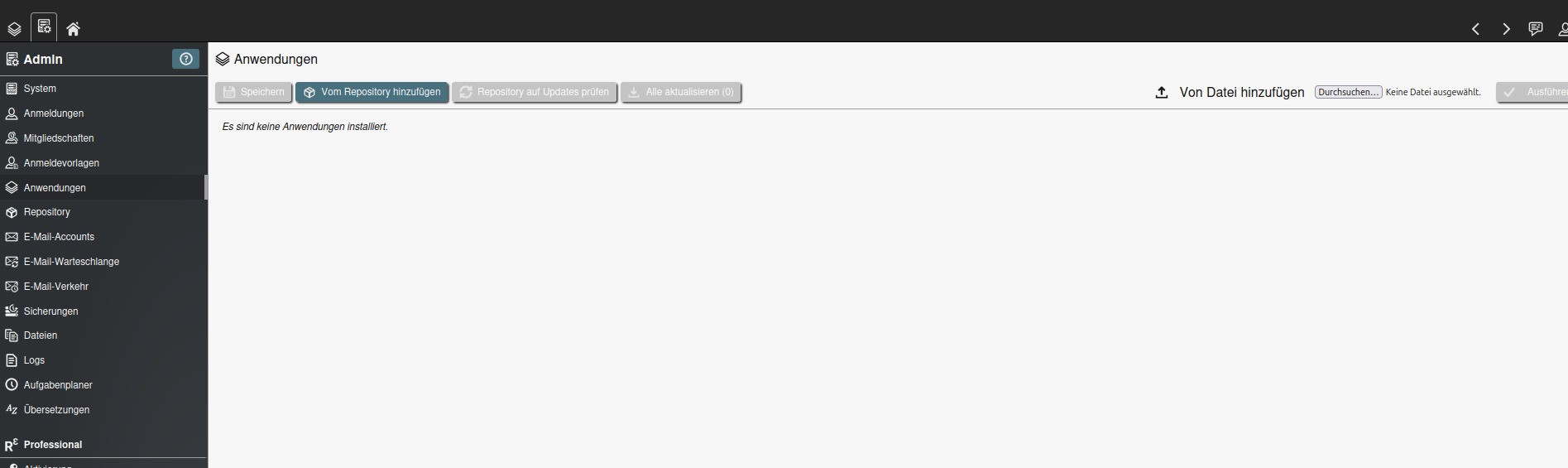

Nun die Anwendung installieren auf der Zielinstance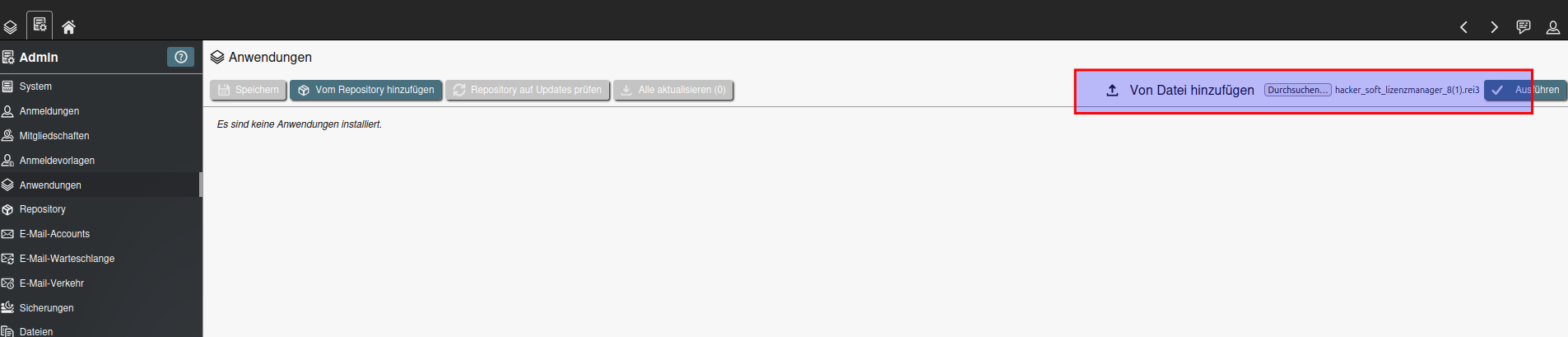

Und wenn man die App öffnen keine Ergebniss bei Software
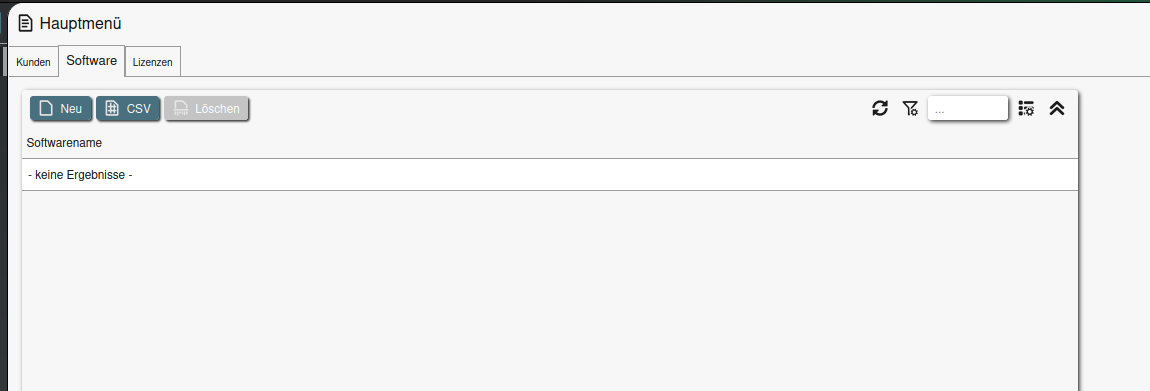
Nun die docker-compose Datei ändern, auf restore und den richtigen Dateinamen bei restore_file anpassen
- BACKUP_ACTION=restore  # Use "backup" for backup and  "restore" for restore actions
- RESTORE_FILE=/backup/app_20241027_202341.sql  #the path to file to restore
Nun den container nochmals starten:
Command mit Output:
docker-compose up -d postgres_backup
oot@rei3:~/rei3# docker-compose up -d postgres_backup
Recreating rei3_postgres_backup_1 ... done
root@rei3:~/rei3# docker-compose logs postgres_backup
Attaching to rei3_postgres_backup_1
postgres_backup_1 | psql:/backup/app_20241027_202341.sql.temp.sql:1: NOTICE: drop cascades to 6 other objects
postgres_backup_1 | DETAIL: drop cascades to table hacker_soft_lizenzmanager.kunden
postgres_backup_1 | drop cascades to table hacker_soft_lizenzmanager.lizenzen
postgres_backup_1 | drop cascades to table hacker_soft_lizenzmanager.software
postgres_backup_1 | drop cascades to sequence hacker_soft_lizenzmanager."sq_23949c20-8f0d-4530-9bf1-35e5db82908b"
postgres_backup_1 | drop cascades to sequence hacker_soft_lizenzmanager."sq_524876be-5a68-4162-8a9b-2a240b129d47"
postgres_backup_1 | drop cascades to sequence hacker_soft_lizenzmanager."sq_b708e577-d88f-40ef-b594-811bd8aead74"
postgres_backup_1 | DROP SCHEMA
postgres_backup_1 | SET
postgres_backup_1 | SET
postgres_backup_1 | SET
postgres_backup_1 | SET
postgres_backup_1 | SET
postgres_backup_1 | SET
postgres_backup_1 | set_config
postgres_backup_1 | ------------
postgres_backup_1 |
postgres_backup_1 | (1 row)
postgres_backup_1 |
postgres_backup_1 | SET
postgres_backup_1 | SET
postgres_backup_1 | SET
postgres_backup_1 | SET
postgres_backup_1 | CREATE SCHEMA
postgres_backup_1 | ALTER SCHEMA
postgres_backup_1 | CREATE SEQUENCE
postgres_backup_1 | ALTER SEQUENCE
postgres_backup_1 | SET
postgres_backup_1 | SET
postgres_backup_1 | CREATE TABLE
postgres_backup_1 | ALTER TABLE
postgres_backup_1 | CREATE SEQUENCE
postgres_backup_1 | ALTER SEQUENCE
postgres_backup_1 | CREATE TABLE
postgres_backup_1 | ALTER TABLE
postgres_backup_1 | CREATE SEQUENCE
postgres_backup_1 | ALTER SEQUENCE
postgres_backup_1 | CREATE TABLE
postgres_backup_1 | ALTER TABLE
postgres_backup_1 | COPY 1
postgres_backup_1 | COPY 0
postgres_backup_1 | COPY 2
postgres_backup_1 | setval
postgres_backup_1 | --------
postgres_backup_1 | 1
postgres_backup_1 | (1 row)
postgres_backup_1 |
postgres_backup_1 | setval
postgres_backup_1 | --------
postgres_backup_1 | 1
postgres_backup_1 | (1 row)
postgres_backup_1 |
postgres_backup_1 | setval
postgres_backup_1 | --------
postgres_backup_1 | 2
postgres_backup_1 | (1 row)
postgres_backup_1 |
postgres_backup_1 | ALTER TABLE
postgres_backup_1 | ALTER TABLE
postgres_backup_1 | ALTER TABLE
postgres_backup_1 | CREATE INDEX
postgres_backup_1 | CREATE INDEX
postgres_backup_1 | ALTER TABLE
postgres_backup_1 | ALTER TABLE
postgres_backup_1 | Stelle Backup wieder her...
postgres_backup_1 | Wiederherstellung erfolgreich.
postgres_backup_1 | Temporäre Datei gelöscht: /backup/app_20241027_202341.sql.temp.sql
Wenn wir nun wieder in dei Applikation gehen und die Tabs hin und herwechseln sehen wir unsere Daten, sogar mit umlauten
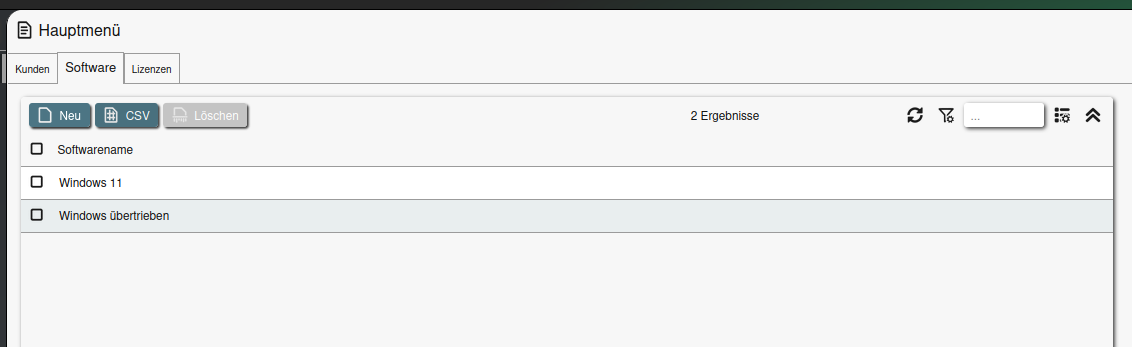
Und das schmea ist logischerweise auch wieder da

Fertig