
von Flathub Installation auf direkt Installation wechseln
Beschreibung:
Flathub installationen sind in der Regel richtig genial, automatische Updates und so weiter, doch bei VS Code läuft alles isoliert, kein npm und weitere Befehle. Weil Sandbox.
Es werden allerdings Einstellungen woanders gespeichert als bei direkt Installation.
Hier die Schritte zum migrieren von Flathub wieder auf normal:
Migration:
Konfig kopieren
# BEVOR du Flatpak deinstallierst:
cp -r ~/.var/app/com.visualstudio.code/config/Code/User ~/.config/Code/
cp -r ~/.var/app/com.visualstudio.code/data/vscode/extensions ~/.vscode/extensions/
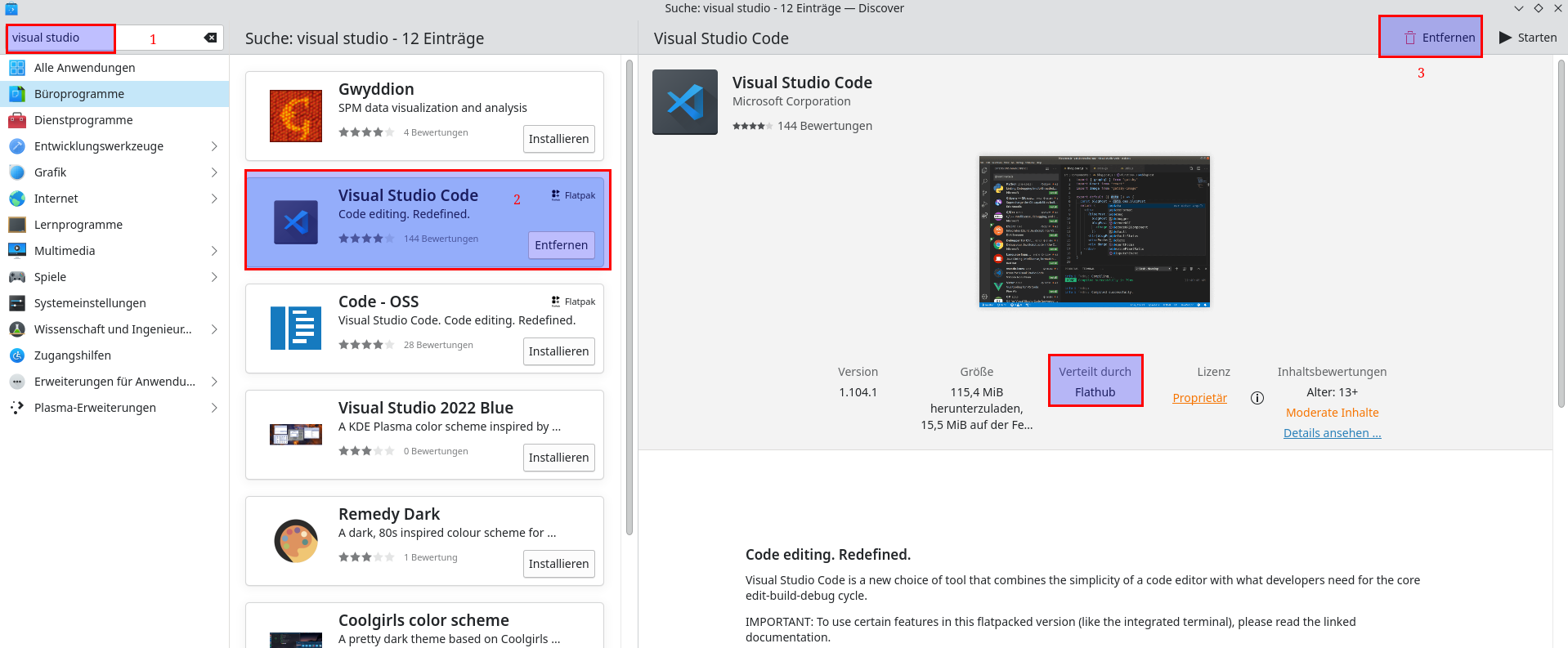
Dann deinstallieren über den Software/Paketmanager
Nun installieren, über die eigene repo damit per apt update auch vs code aktuell gelalten wird.
#echo Microsoft"code Repositorycode/add-microsoft-repo wgetboolean -qO- https://packages.microsoft.com/keys/microsoft.asctrue" | gpgsudo --dearmor > packages.microsoft.gpgdebconf-set-selections
sudo apt install -D -o root -g root -m 644 packages.microsoft.gpg /etc/apt/keyrings/packages.microsoft.gpg
sudo sh -c 'echo "deb [arch=amd64,arm64,armhf signed-by=/etc/apt/keyrings/packages.microsoft.gpg] https://packages.microsoft.com/repos/code stable main" > /etc/apt/sources.list.d/vscode.list'apt-transport-https
sudo apt update
sudo apt install code # or code-insiders
Fertig.