
Snippet - Verlinkte Produkte auf Produktseite anzeigen
Beschreibung:
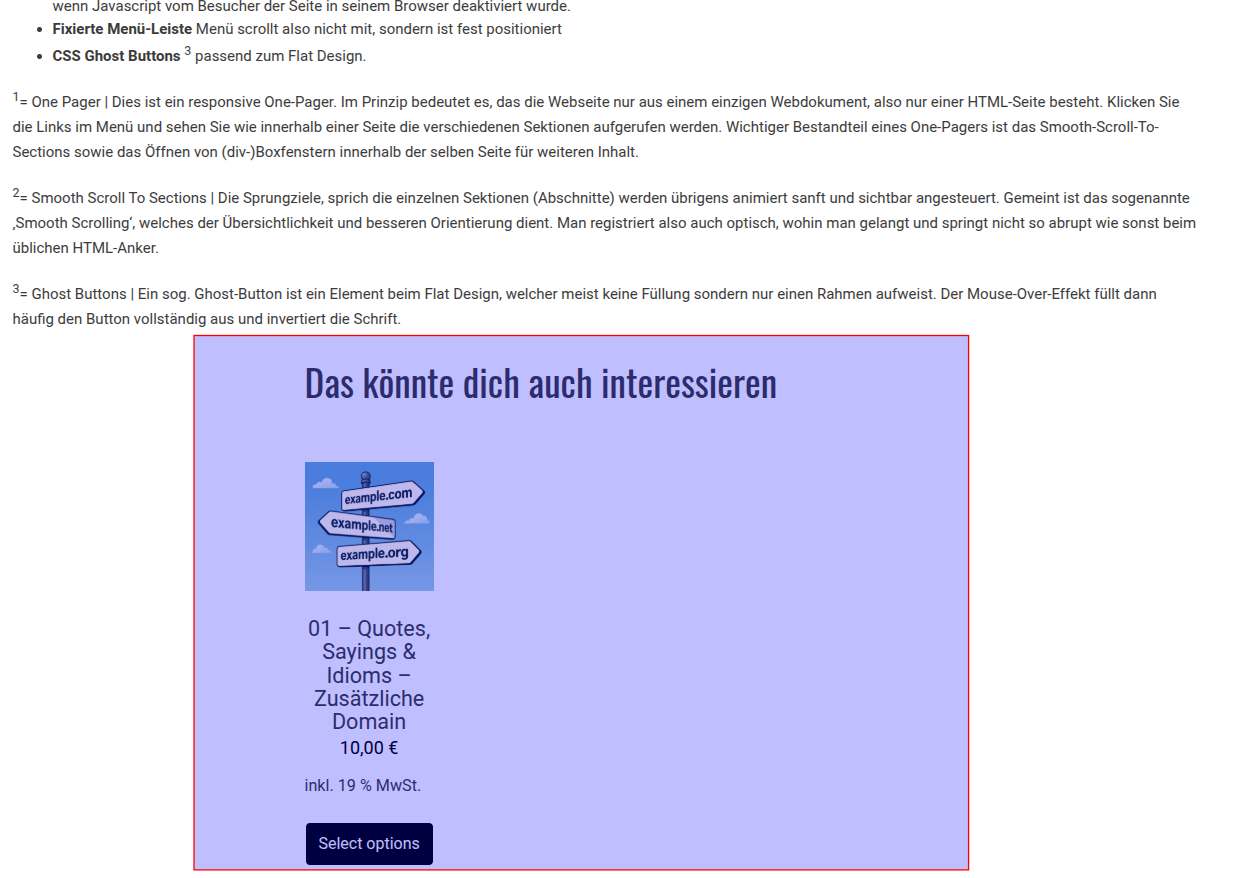
Unter Produktbeschreibung Verlinkte Produkte anzeigen.
So ohne Snippet:
So mit Snippet
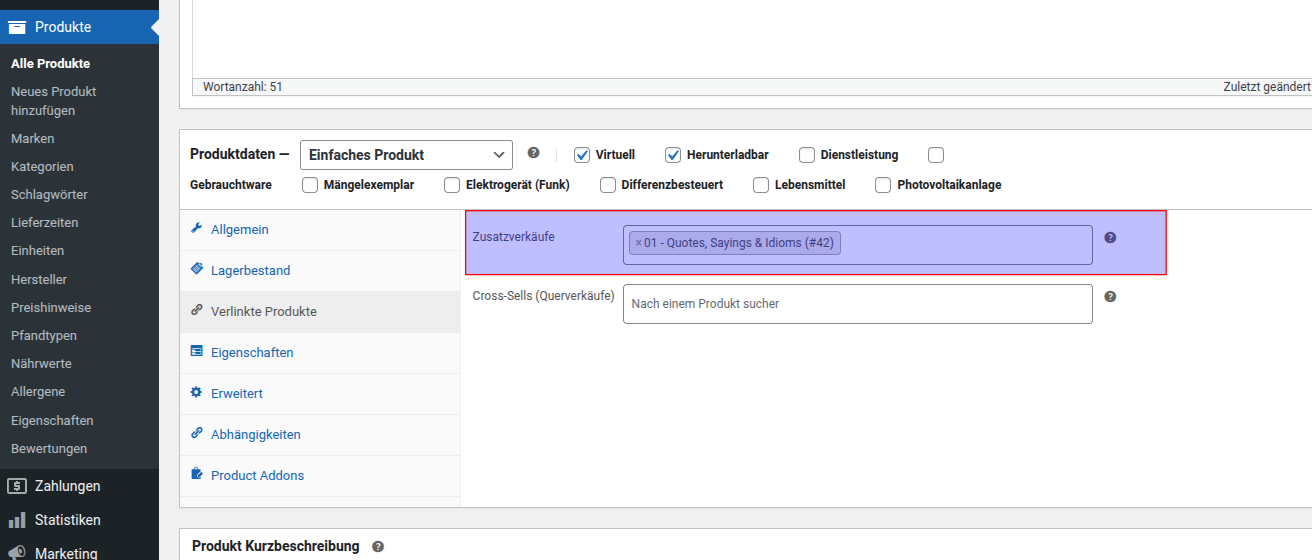
Welche Produkte werden angezeigt?
Die, die verlinkt werden:
Installation:
Code Snippet in die function.php oder über Snippet Manager Plugin
add_action('woocommerce_after_single_product_summary', 'show_crosssells_on_product_page', 16);

function show_crosssells_on_product_page() {
    global $product;
    $crosssell_ids = $product->get_cross_sell_ids();

    if (!empty($crosssell_ids)) {
        echo '<section class="cross-sells"><h2>Das könnte dich auch interessieren</h2>';
        $args = array(
            'post_type' => 'product',
            'posts_per_page' => 4,
            'post__in' => $crosssell_ids,
            'orderby' => 'post__in'
        );
        woocommerce_product_loop_start();
        $products = new WP_Query($args);
        while ($products->have_posts()) {
            $products->the_post();
            wc_get_template_part('content', 'product');
        }
        woocommerce_product_loop_end();
        wp_reset_postdata();
        echo '</section>';
    }
}