
PHP 8.2 Installation
Beschreibung
Installation php 8.0 und einfügen in ISPConfig
Installation
PHP 8.2 installieren
apt -y install php8.2 php8.2-cli php8.2-cgi php8.2-fpm php8.2-gd php8.2-mysql php8.2-imap php8.2-curl php8.2-intl php8.2-pspell php8.2-sqlite3 php8.2-tidy php8.2-xsl php8.2-zip php8.2-mbstring php8.2-soap php8.2-opcache php8.2-common php8.2-readline php8.2-xml php8.2-curl php8.2-imagick php8.2-bcmath Danach erstmal die Ursprüngliche Version als default festlegen
update-alternatives --config php
update-alternatives --config php-cgi
nun wählen:
Ausgabe:
  Auswahl      Pfad             Priorität Status
------------------------------------------------------------
* 0            /usr/bin/php8.2   82        automatischer Modus
  1            /usr/bin/php7.3   73        manueller Modus
  2            /usr/bin/php7.4   74        manueller Modus
  3            /usr/bin/php8.2   82        manueller Modus
Einfügen neuer Config
Unter System -> Zusätliche PHP Versionen
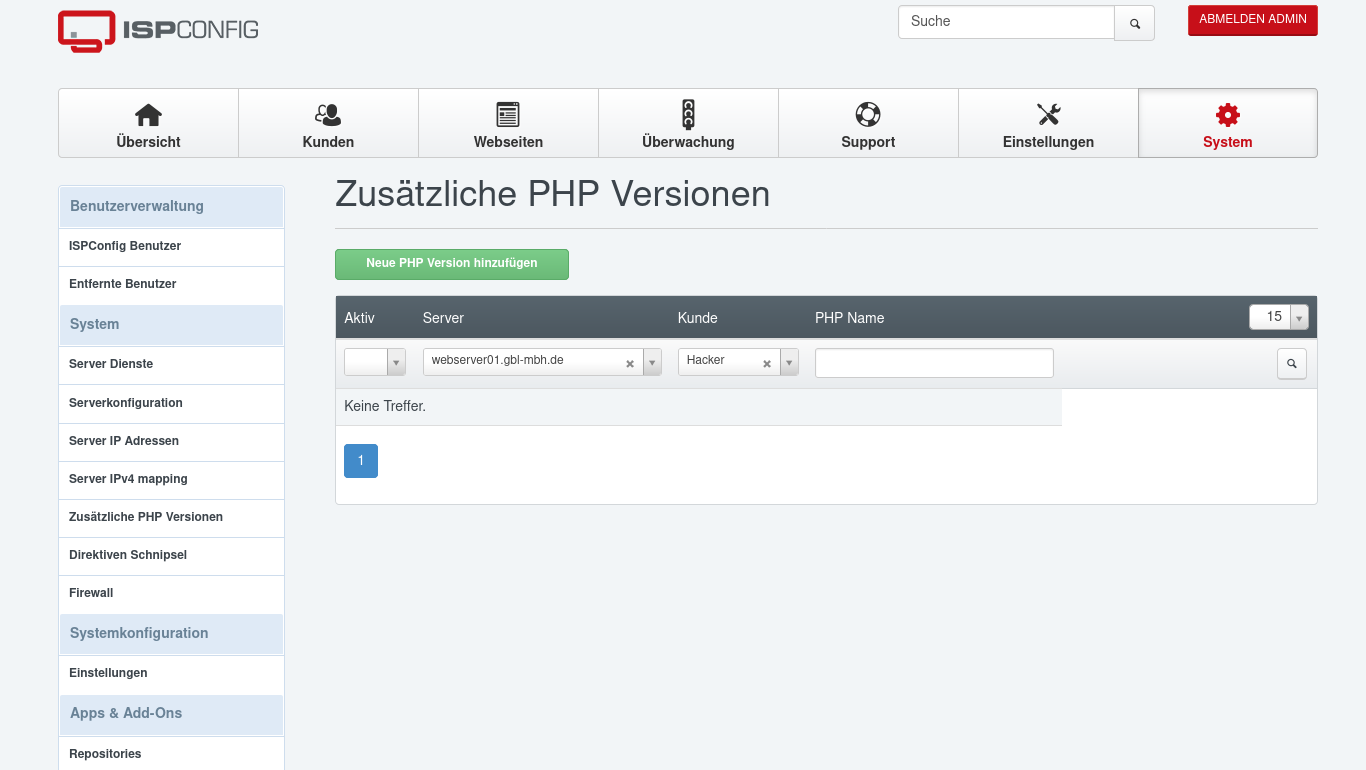
Dann auf PHP Version hinzufügen

Diese Werte eintragen
Server: <Server> (unseren Server auswählen)
Kunde: leer
PHP-Name: PHP 8.2
Aktiv: Ja

Nun auf den Registerreiter FastCGI gehen
Pfad zum PHP FastCGI Binary: php8.2-cgi
Pfad zum php.ini Verzeichnis /etc/php/8.2/cgi/php.ini 
Nun auf den Register PHP-FPM Einstellungen
Pfad zum PHP-FPM Init Script: php8.2-fpm
Pfad zum php.ini Verzeichnis: /etc/php/8.2/fpm/php.ini
Pfad zum PHP-FPM Pool Verzeichnis: /etc/php/8.2/fpm/pool.d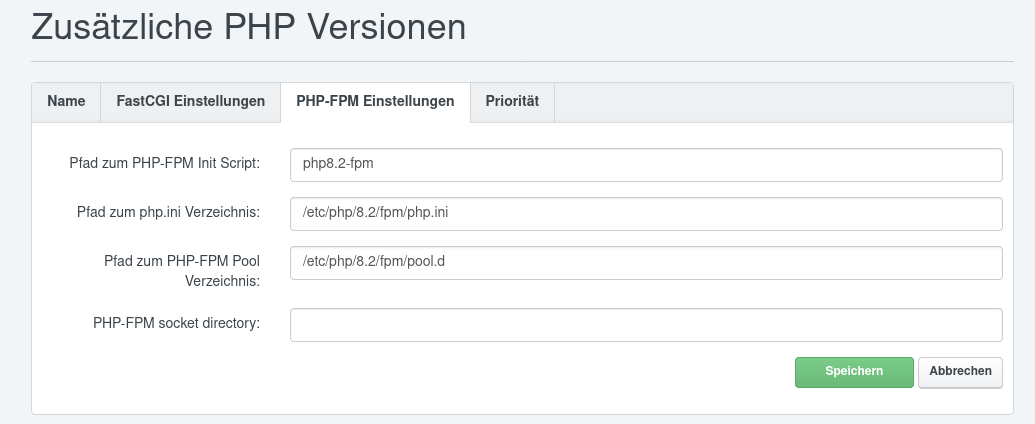
Nun auf Speichern klicken